How to Get Ciro to Expand Your Search
Last updated September 5, 2025
Sometimes your initial search doesn’t surface every possible lead — and that’s okay. Ciro now gives you tailored suggestions to expand your reach, without needing to start over.
💡 How It Works
When you run a search in Ciro, our AI picks a strategy — and generates a path based on your filters.
But often, there’s more than one way to reach your ICP.
That’s where search paths come in:
- Each search path is a different filter combination
- They can vary by industry, geography, job titles, or company examples
- You can run any of them instantly, no need to rebuild from scratch
📝 Why this matters
You shouldn’t have to guess which combination of titles, industries, or keywords will deliver the best results.
With Search Paths, Ciro does the heavy lifting — expanding your search intelligently so you can discover new, qualified leads with less effort.
📍 Start a Search
- Log into Ciro .
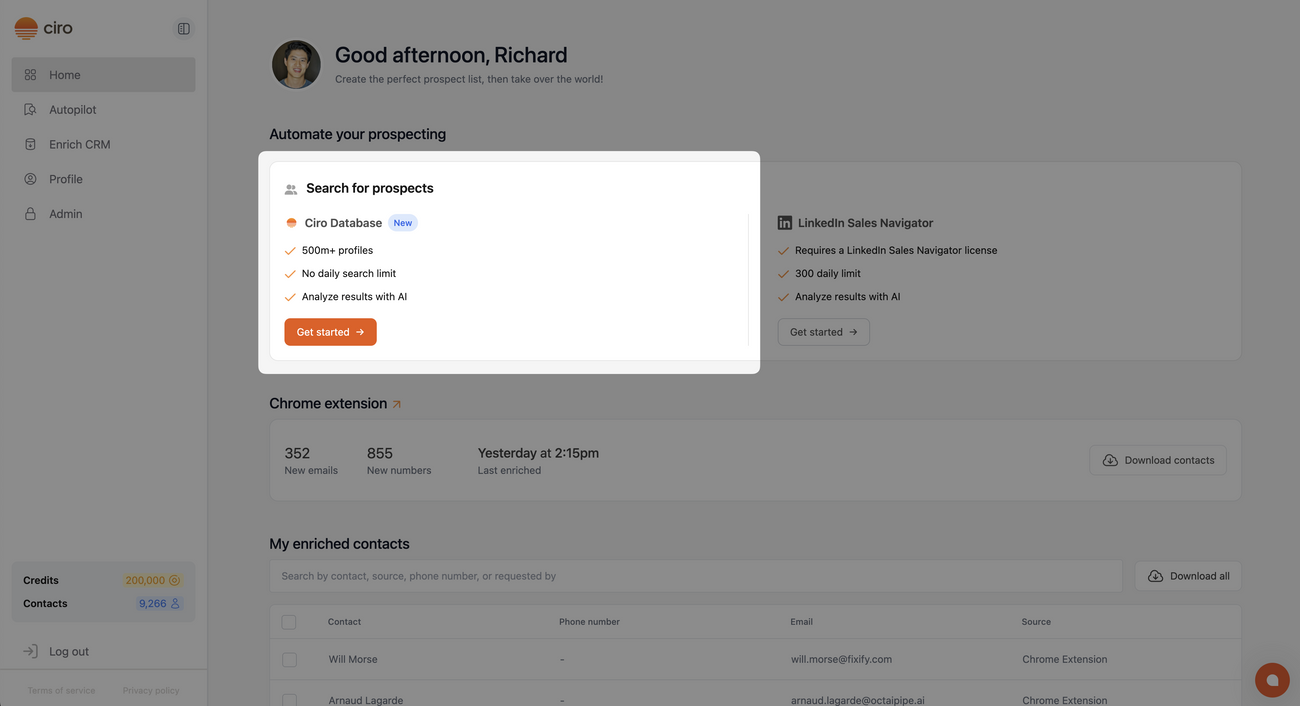
- Begin by searching using Ciro’s Database
- Describe your ideal customer profile (ICP) (e.g. “Find sales leaders at SaaS companies with 50-200 employees”)
- Ciro will generate filters using multiple strategies behind the scenes
- Preview contacts from the best strategy will appear on-screen
You’ll now see a preview of the top matches before you commit to pulling emails or exporting.
📖 Learn how to search using Ciro database [link when live]
🔍 Review the Preview Results
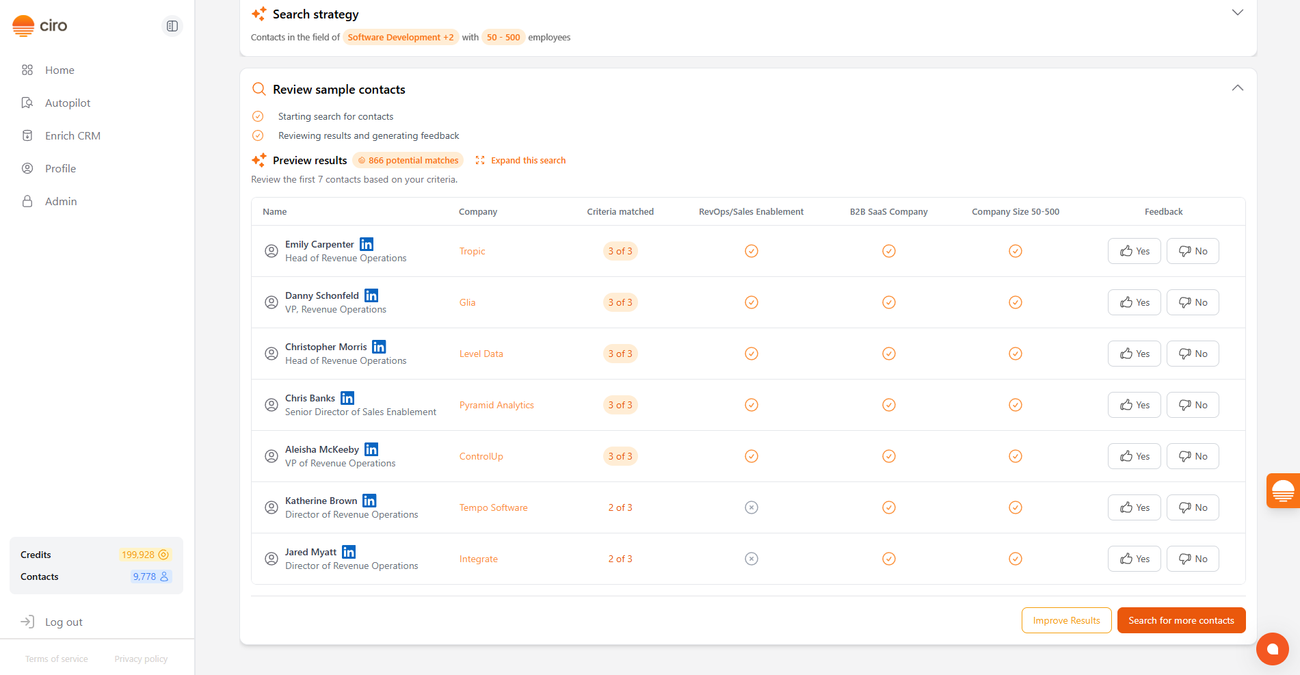
- After you start a search in Ciro, you’ll see a preview of the contacts that were found using Ciro’s best-matching filters.
This preview lets you quickly assess if Ciro’s results are on the right track.
↗️ Click “Expand this search”
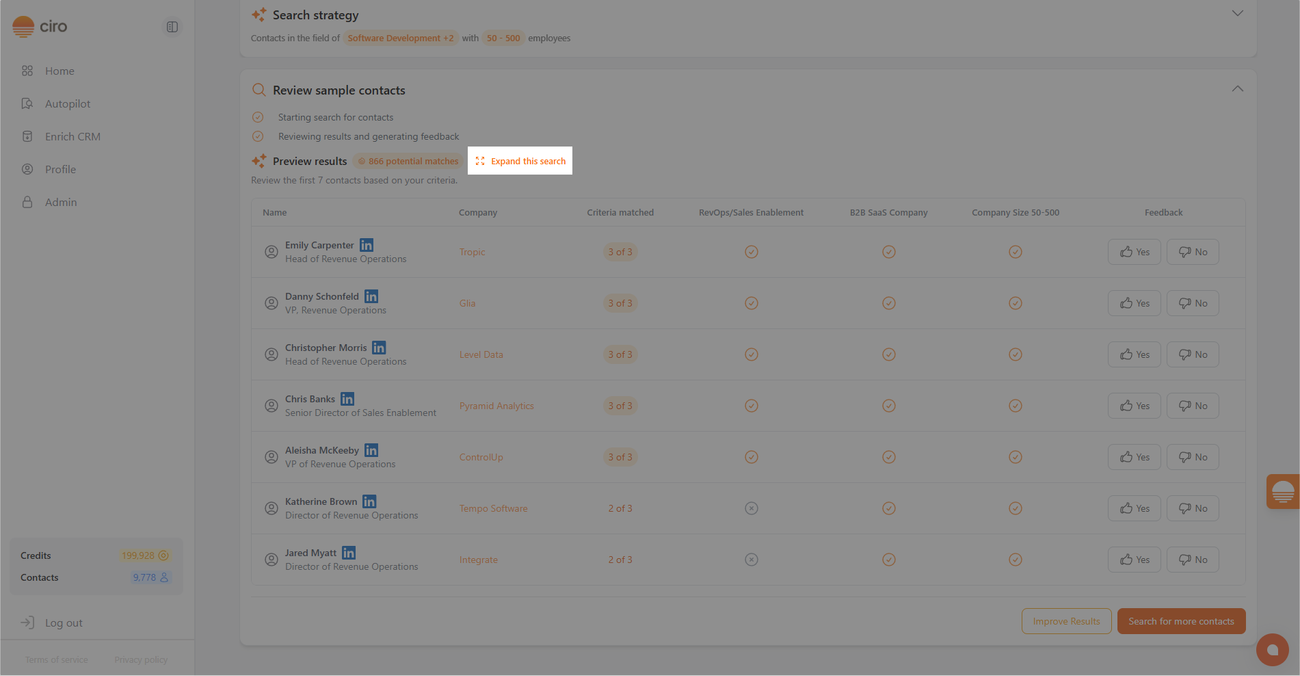
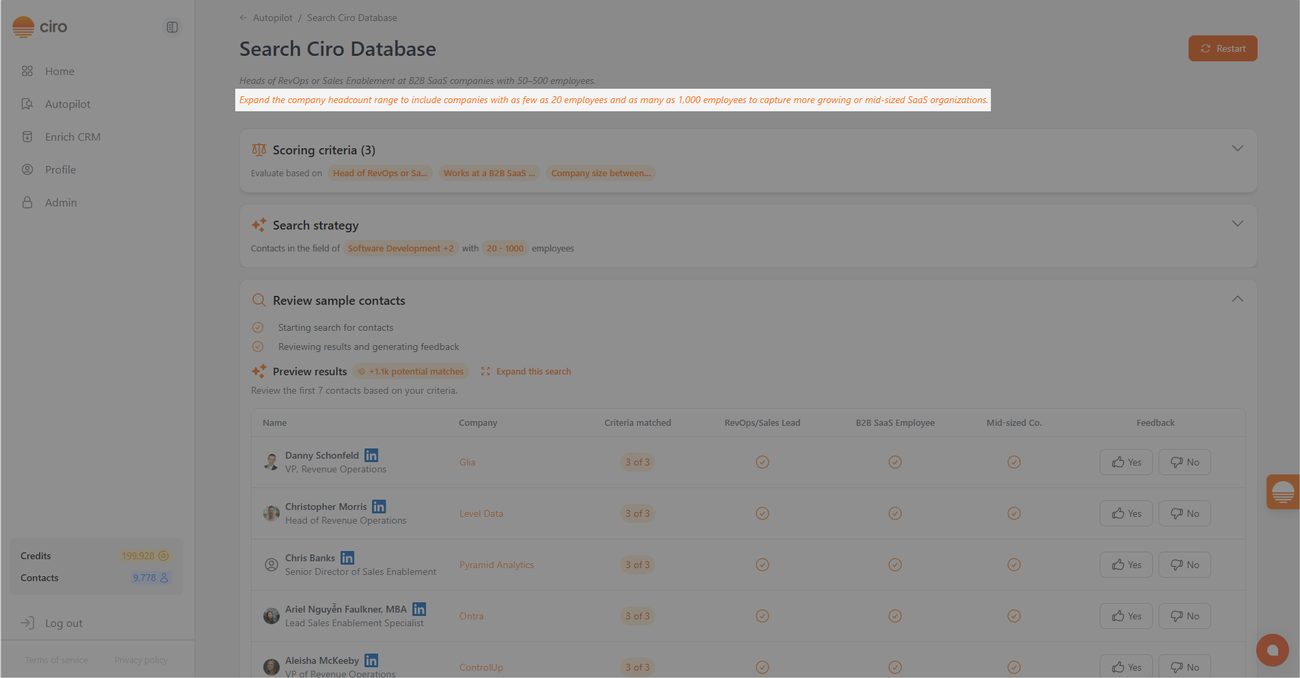
- On the Preview results page, you’ll see an option, “Expand this search”, at the top of your results.
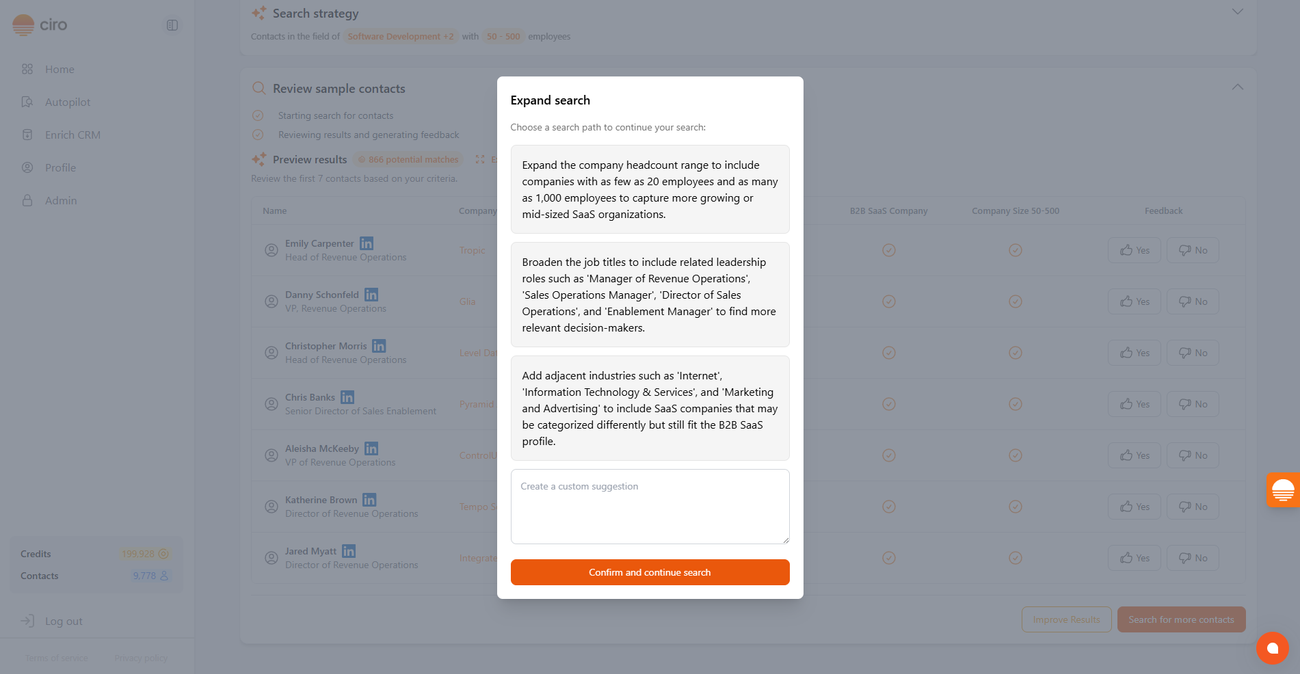
- Click it, and you’ll see a pop-up with personalized suggestions like: ✅ Expand the job titles filter to include similar roles ✅ Broaden the industry to adjacent verticals ✅ Relax company filters to include similar businesses
- Each suggestion is generated based on your original input — so they stay relevant but unlock more possibilities.
- You can also create your own custom suggestion if you want to explore a different angle.
- Once you're ready, just click Confirm and continue search
- Ciro will launch a new tab and begin the expanded search automatically.
Continue running Autopilot Search using Ciro’s Database → [link when live]
Questions
If you have feedback about this feature or want help using it, reach out to our support team directly in the chat or at support@ciro.ai .
Need more help? Browse all guides in the Ciro Help Center [link when live]