How to Get Ciro to Improve Your Search
Last updated September 5, 2025
Sometimes your initial Ciro search returns a preview that almost hits the mark — but isn't quite fully dialed in. Instead of restarting from scratch, you can now tell Ciro what’s off and it’ll automatically adjust your filters and improve your results.
📍 Start a Search
- Log into Ciro .
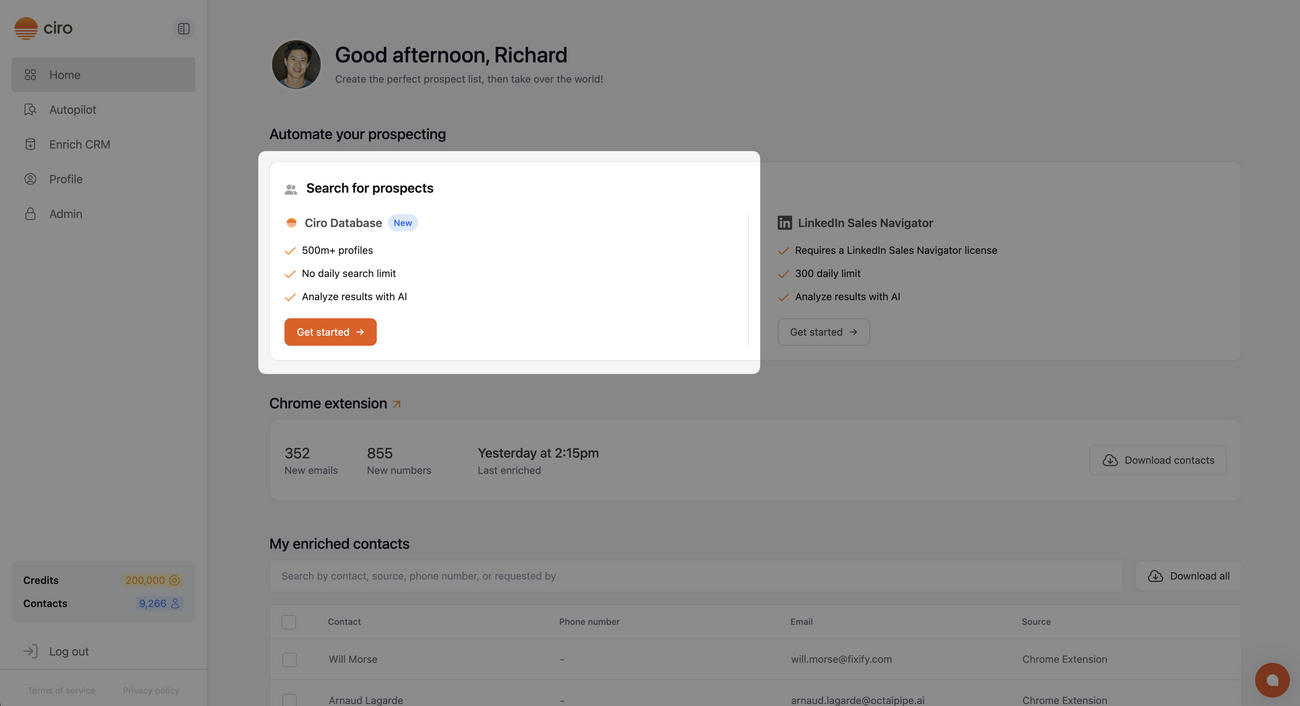
- Begin by searching using Ciro’s Database
- Describe your ideal customer profile (ICP) (e.g. “Find sales leaders at SaaS companies with 50-200 employees”)
- Ciro will generate filters using multiple strategies behind the scenes
- Preview contacts from the best strategy will appear on-screen
- You’ll now see a preview of the top matches before you commit to pulling emails or exporting.
📖 Learn how to search using Ciro database [link when live]
🔍 Review the Preview Results
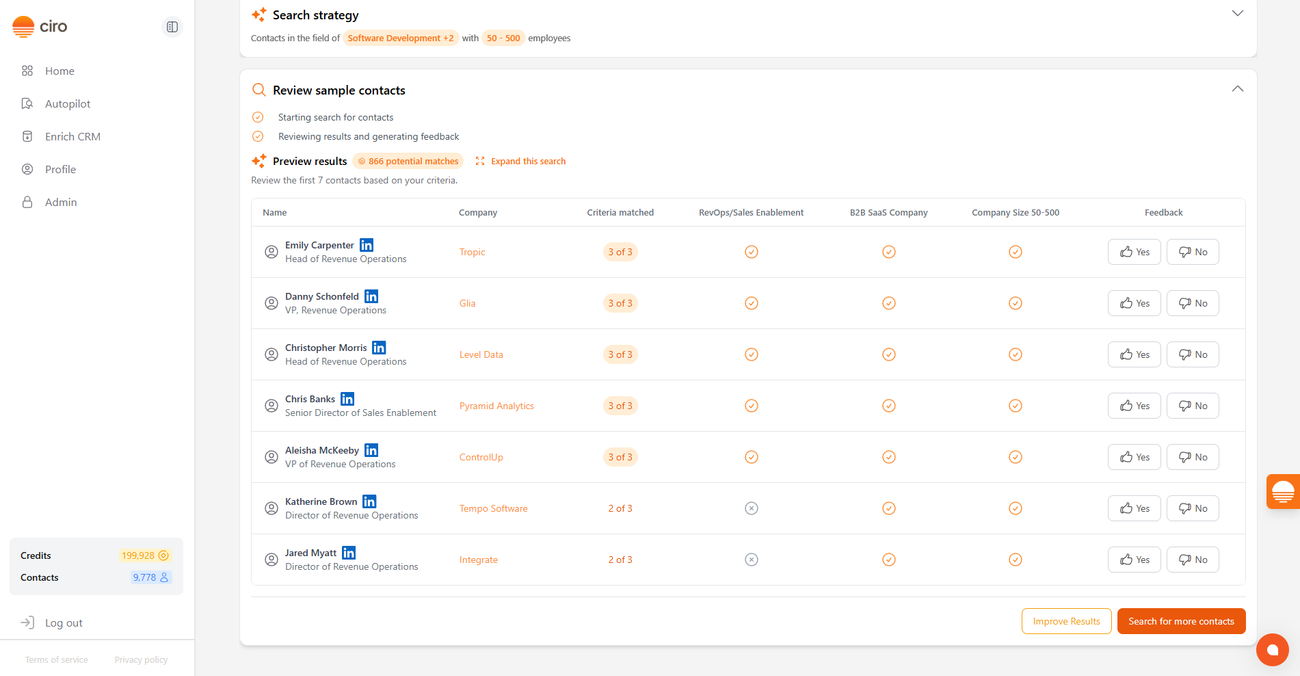
- After you start a search in Ciro, you’ll see a preview of the contacts that were found using Ciro’s best-matching filters.
- This preview lets you quickly assess if Ciro’s results are on the right track.
💡 Click “Improve Results”
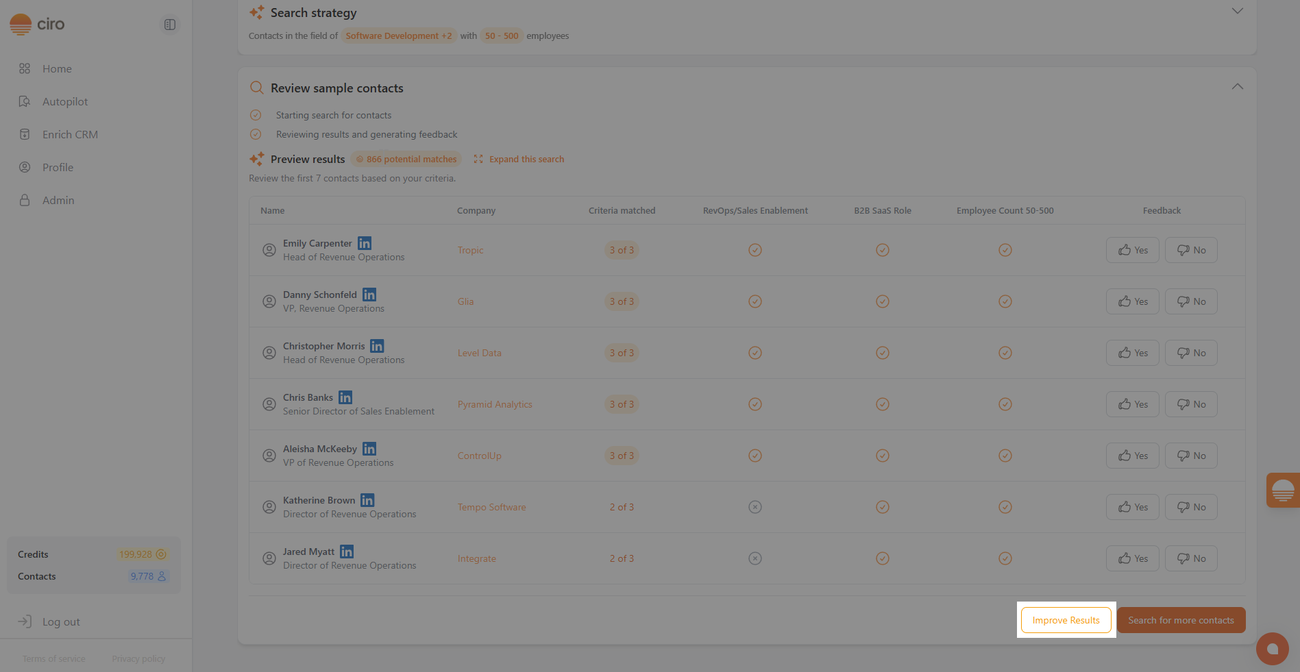
- If the previewed contacts don’t quite hit the mark, you can scroll down and click the “Improve Results” button.
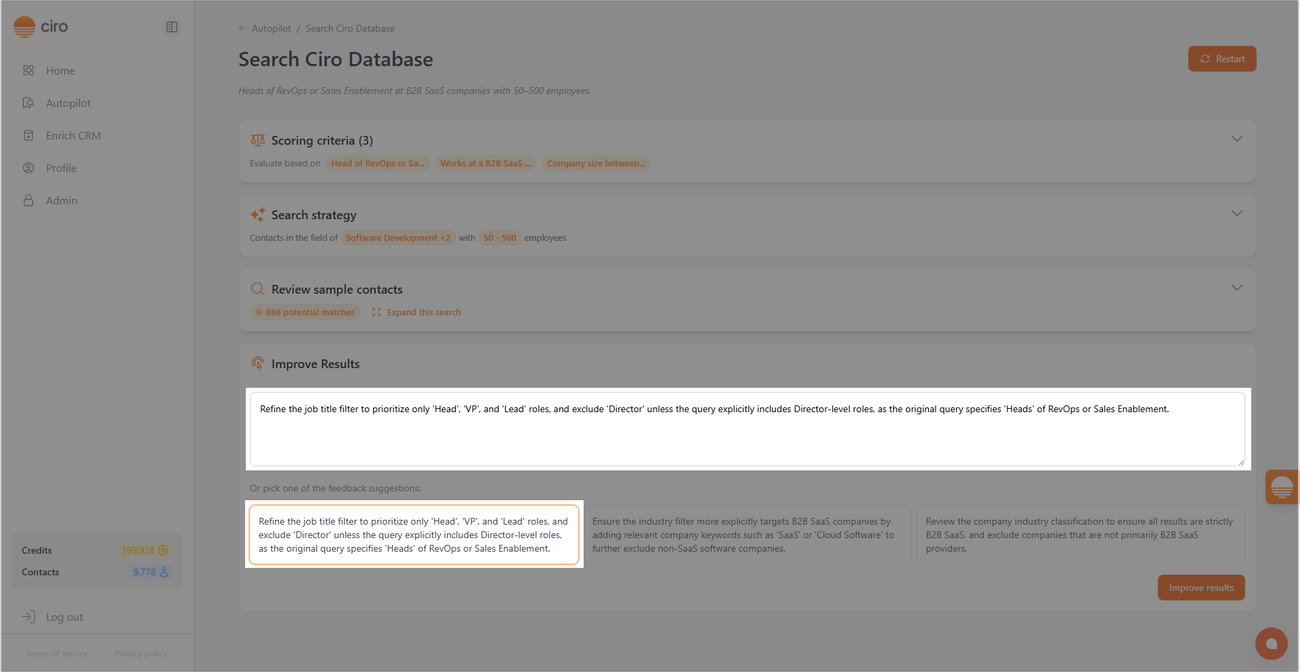
- Ciro will generate smarter, refined filters and preview new results based on what you write:
- Add a new “Improve Filters” section beneath your current preview
- Focus your cursor in a textbox where you can write what’s wrong (e.g. “Too many junior roles” or “These are mostly EMEA — I’m looking for US-based leads”)
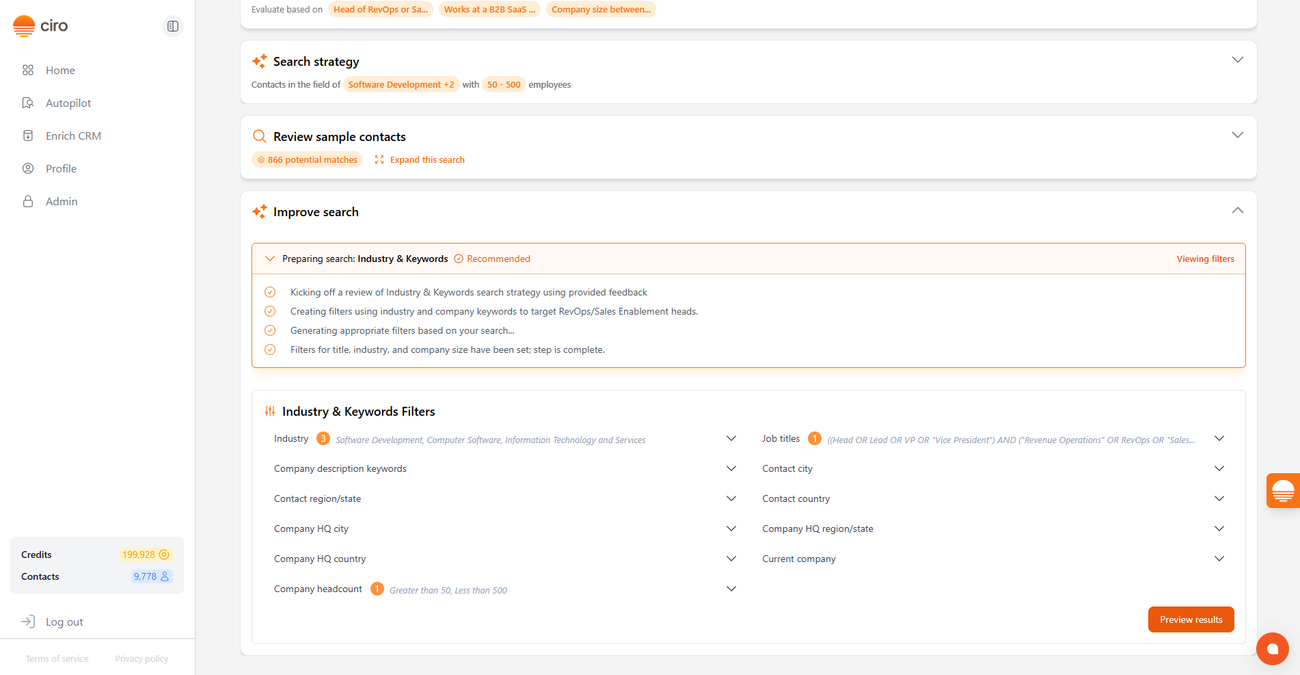
- Ciro will then:
- Rerun your search with improved filters
- Show new preview results underneath your feedback
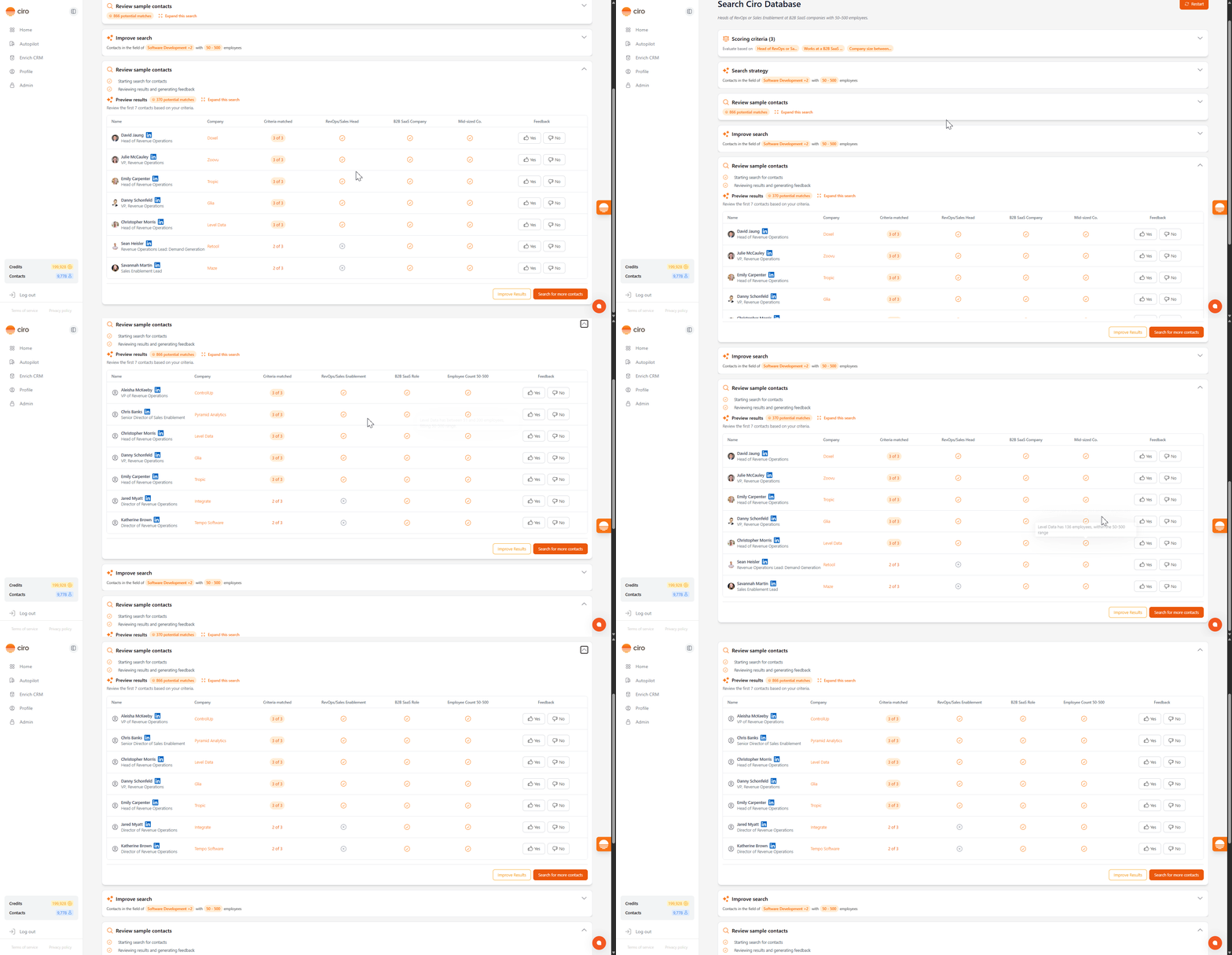
- You can scroll back and compare your original results vs. the improved ones, and submit additional feedback if needed
✅ Vote on Individual Contacts
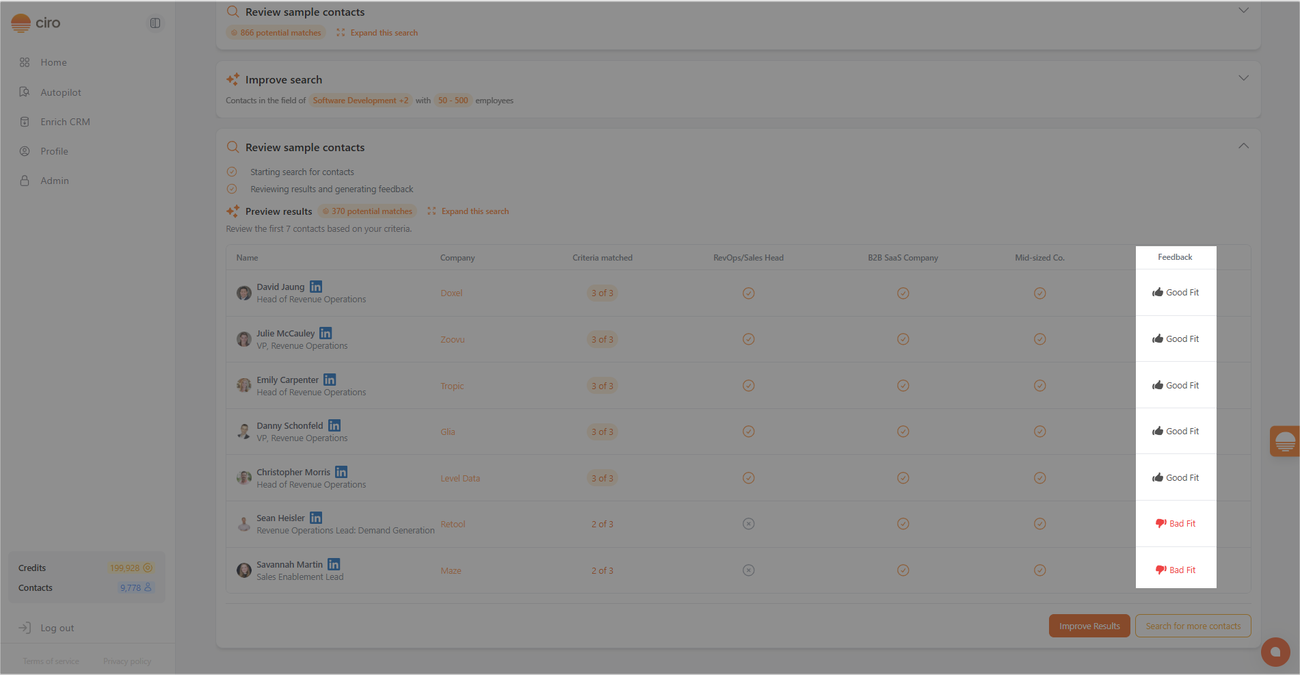
- An alternate way to give Autopilot more feedback is to vote on each contact (thumbs up or down) in your preview table
- Click the 👍 or 👎 next to any contact.
- When you click on 👎, a small box will appear asking why you disliked it — your feedback can be as short as “wrong title” or “great fit.”
Once you’ve upvoted/downvoted a few contacts, the “Improve results” button updates — and clicking it will trigger a new search strategy based on your labeled examples.
❓ Questions
If you have feedback about this feature or want help using it, reach out to our support team directly in the chat or at support@ciro.ai .
Need more help? Browse all guides in the Ciro Help Center [link when live]
Was this article helpful?