How to Add Contacts to a Ciro List
Last updated September 5, 2025
Want to organize your contacts or save them for later outreach? You can easily add contacts from your Autopilot search into a Ciro list.
✅ Step-by-Step
- From the Ciro app , go to your Autopilot search
- Select the contacts you want to add:
- Use the checkbox at the top to select all
- Or manually select individual contacts
- Once selected, click “Save to list” in the upper-right toolbar
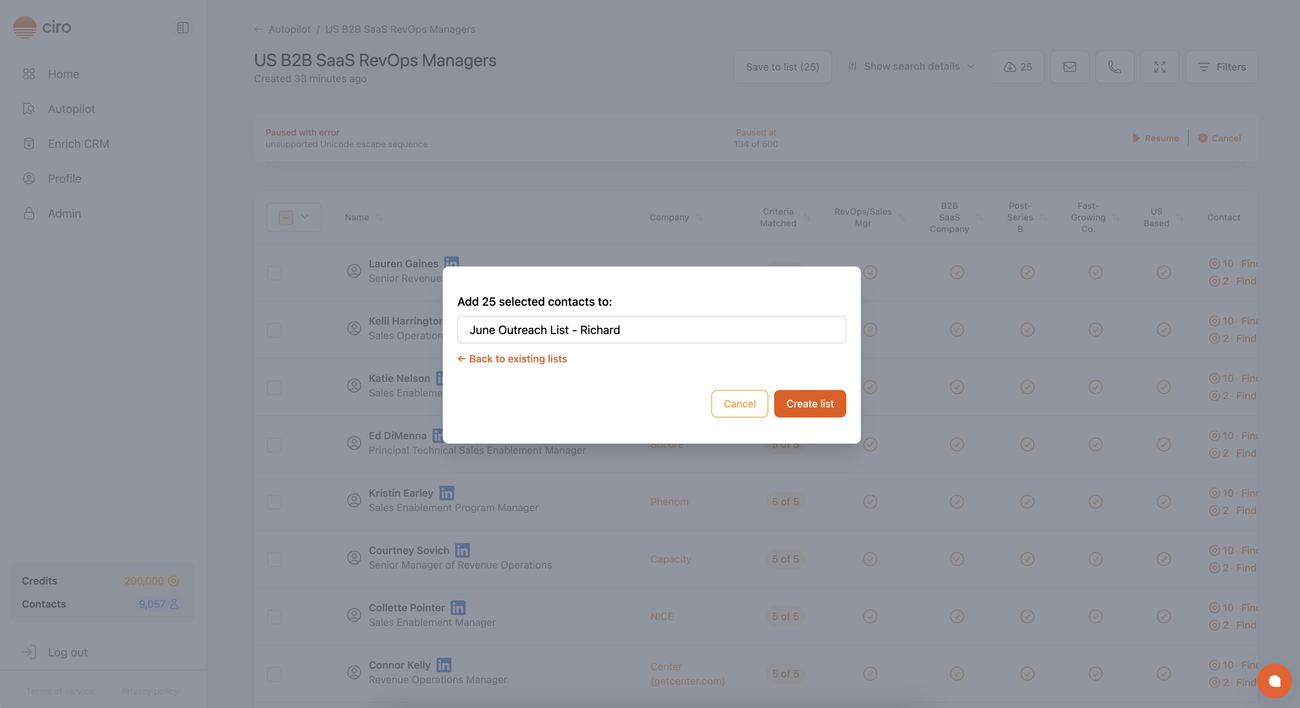
- Choose an existing list from the dropdown or click + Create a New List to make one on the spot
That’s it! Your selected contacts will be saved into the list for future enrichment, outreach, or CRM syncing.
Need help? Email us at help@ciro.io or use the in-app chat.
Was this article helpful?