CAP Tracker l For Auditors
Last updated January 9, 2026
The CAP (Corrective Action Plan) Module is used to track, manage, and close remediation activities that result from finalized audit findings.
Your manager will assign CAP(s) to you post-audit.
- You’ll be notified in one of two ways:
- Email notification when CAPs are assigned, or log in to Readily and go the CAP Tracker.
How to access the CAP Module
- Log in to Readily: https://app.readily.co/
- Go to the CAP Tracker
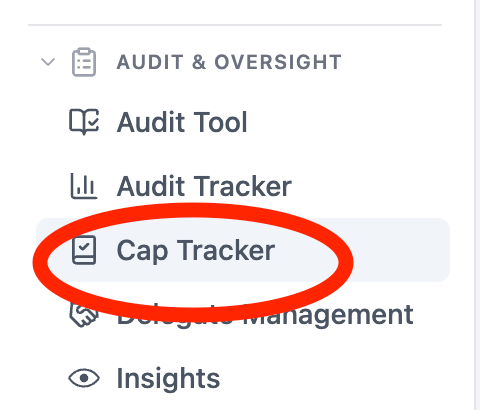
- Click Detailed View

In CAP Tracker, locate the CAP you need to work on. You will now see the CAP details and all information needed to complete remediation.
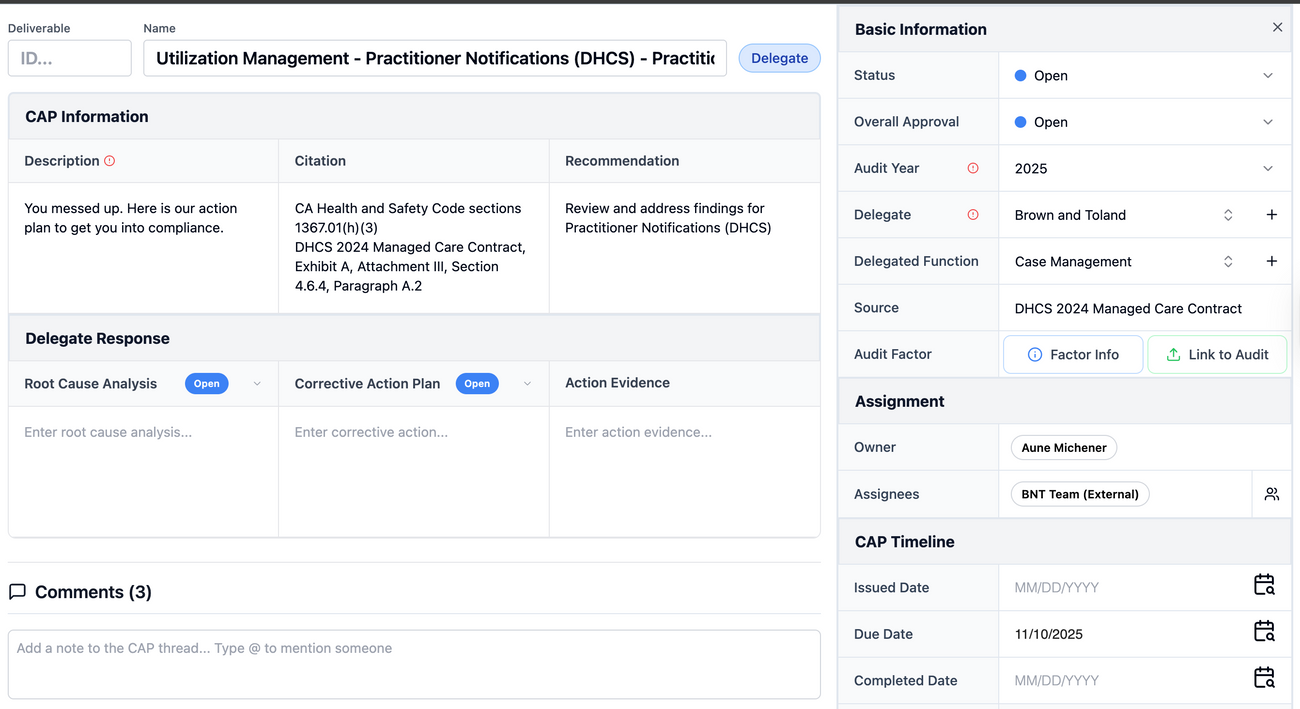
- Review the Cap Information and Basic Information, update Status and Overall Approval.
You have the ability to view the linked Audit and Factor Info.
- In the Comments, write a short update describing what you uploaded or updates from the delegate. Tag your manager or a team member.
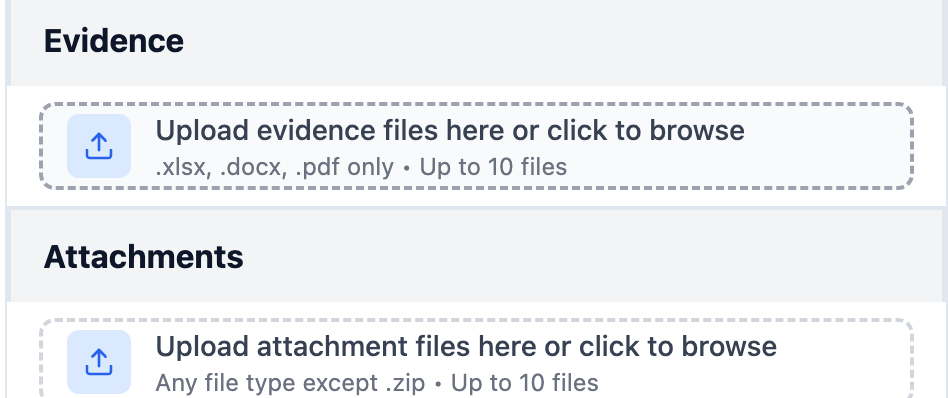
- Upload an attachment for Evidence. Files must be in .xlsx, .docx and pdf format.
Was this article helpful?