Audit Tool l For Auditors
Last updated March 30, 2026
The Audit Tool for Auditors is designed to support organizations and auditors in conducting efficient, accurate, and standardized audits.
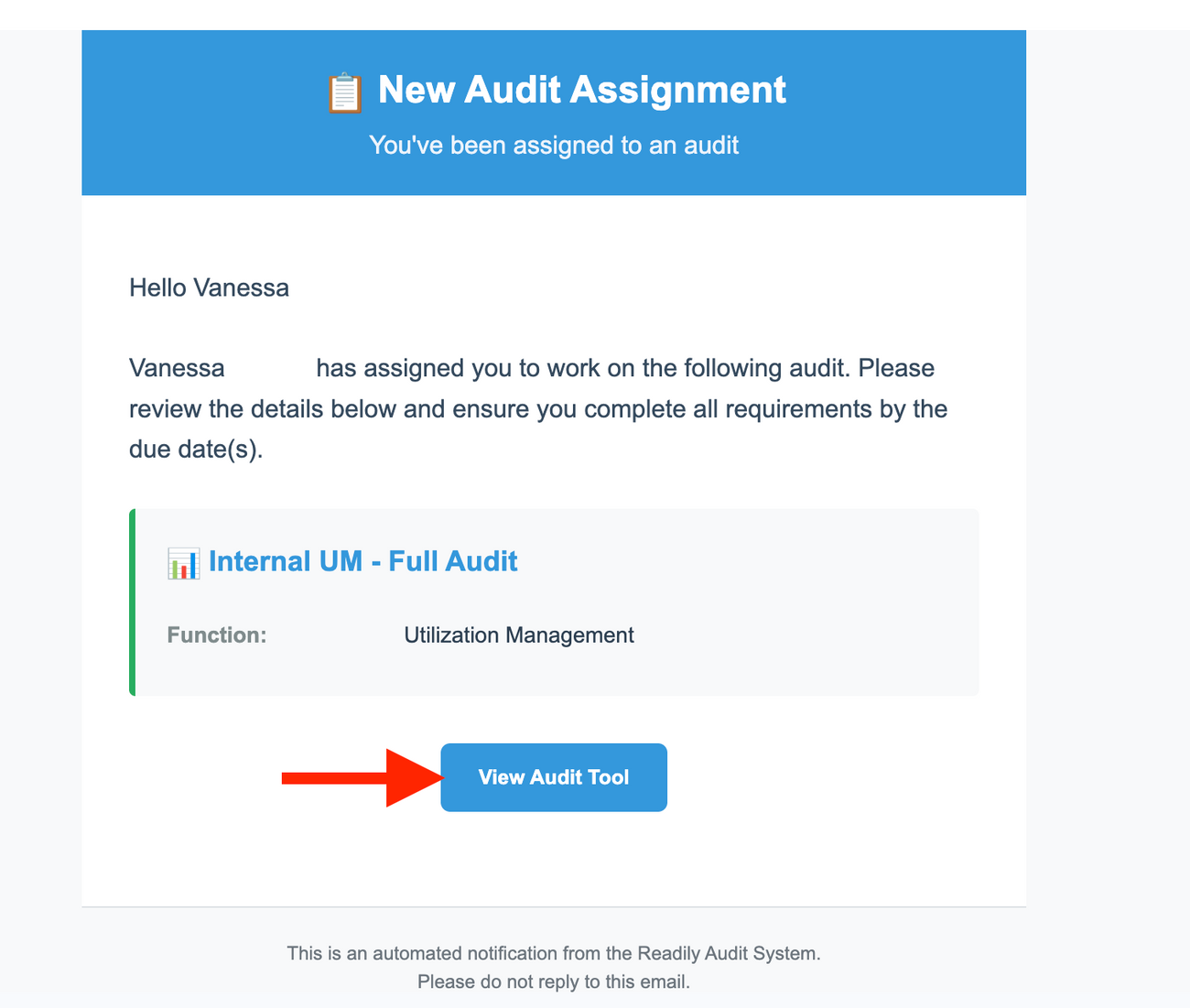
Your manager/lead assigns you an audit, and you'll receive an email notification that an audit has been assigned to you.
Two Options to Access The Audit:
- Directly from the Email Notification or log into Readily.
Directly From The Email
- From the email, click on View Audit Tool. This will take you to your audit.
You can also access your audit by directly logging into Readily.
- Log in to Readily: https://app.readily.co/
Step-by-Step Instructions
If you're logging into Readily to access your audit, follow the steps below:
- Go to Audit Tools.
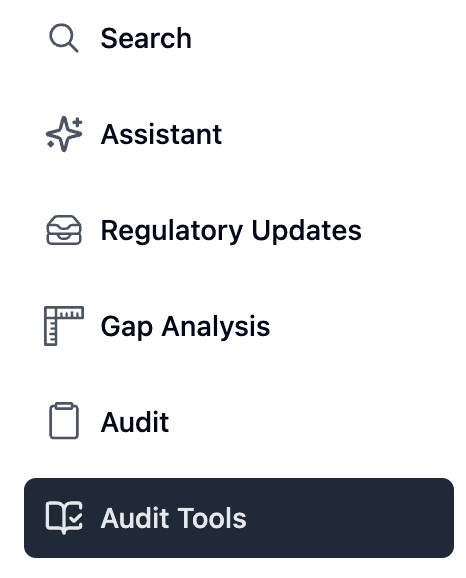
- Select Delegate or Internal, then My View.

Key sections:
- My View - Displays audits assigned to you.
- Filters - Sort audits by: Status (in progress, submitted, completed).
- Progress Indicators - Show completion status for each audit.
Start every session in My View to prioritize active audits and manage workload efficiently.
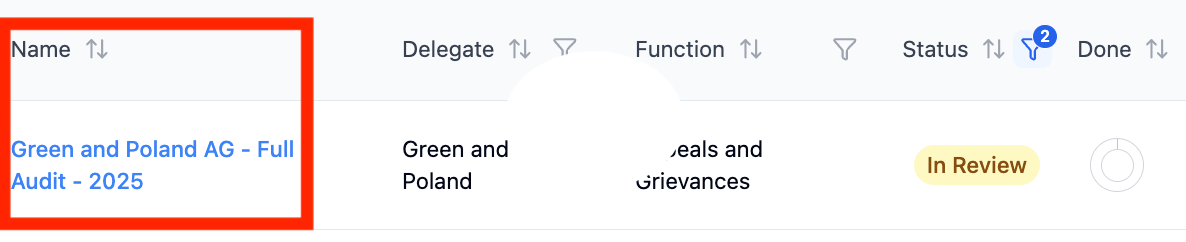
- Click the name of the audit.
You have the option to click the tasks in My View.
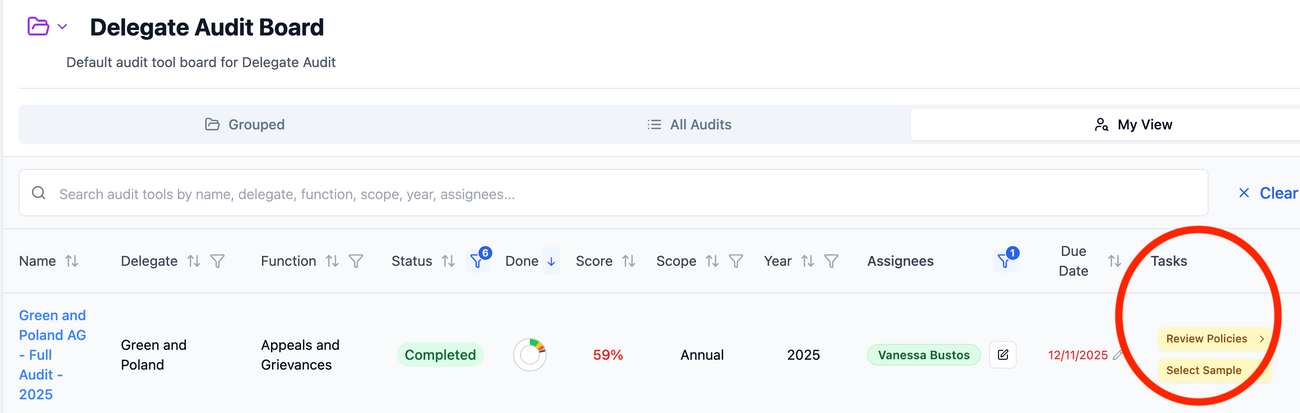
Review Not Complete and Complete are clickable and take you to the factor page.
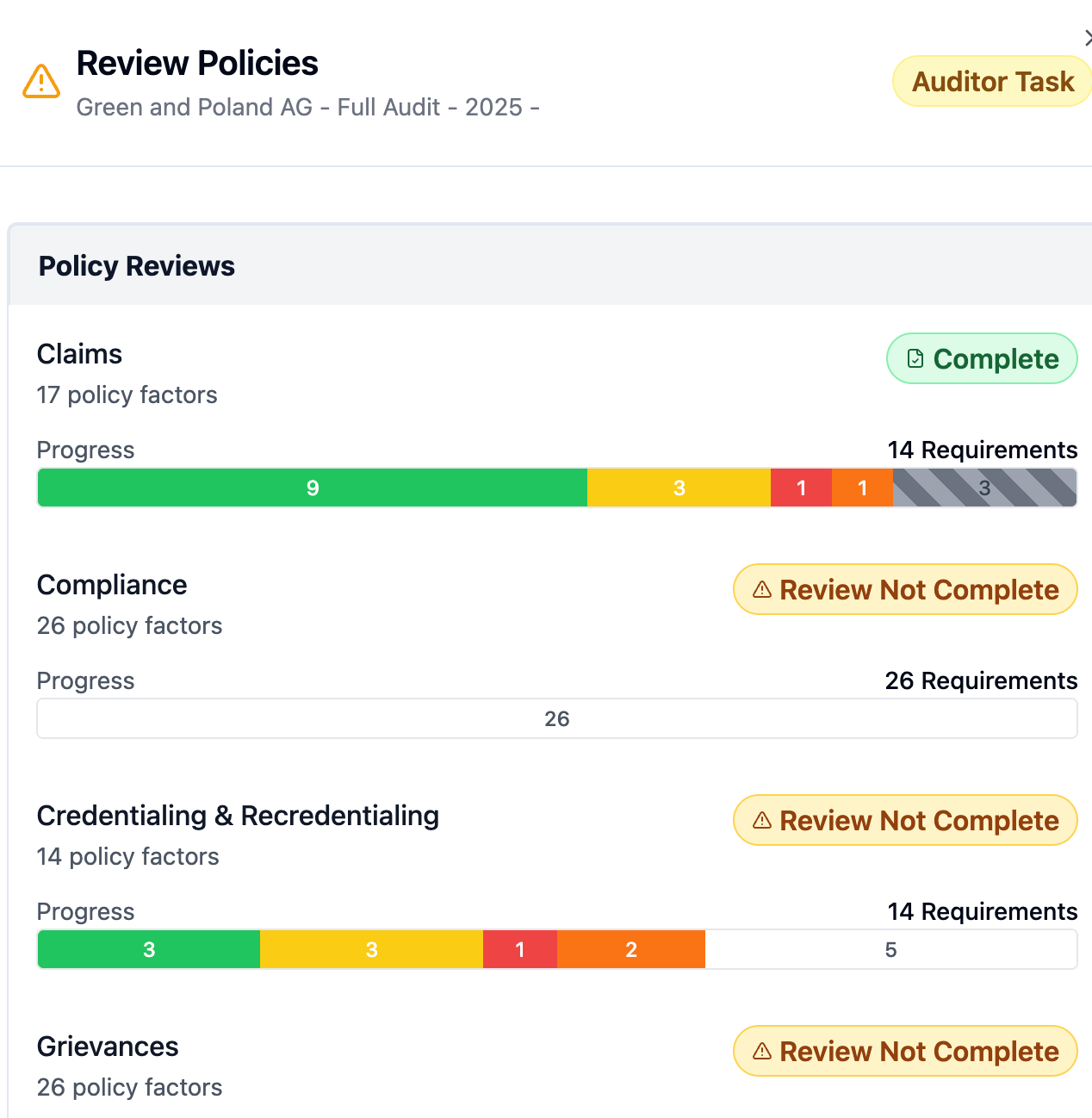
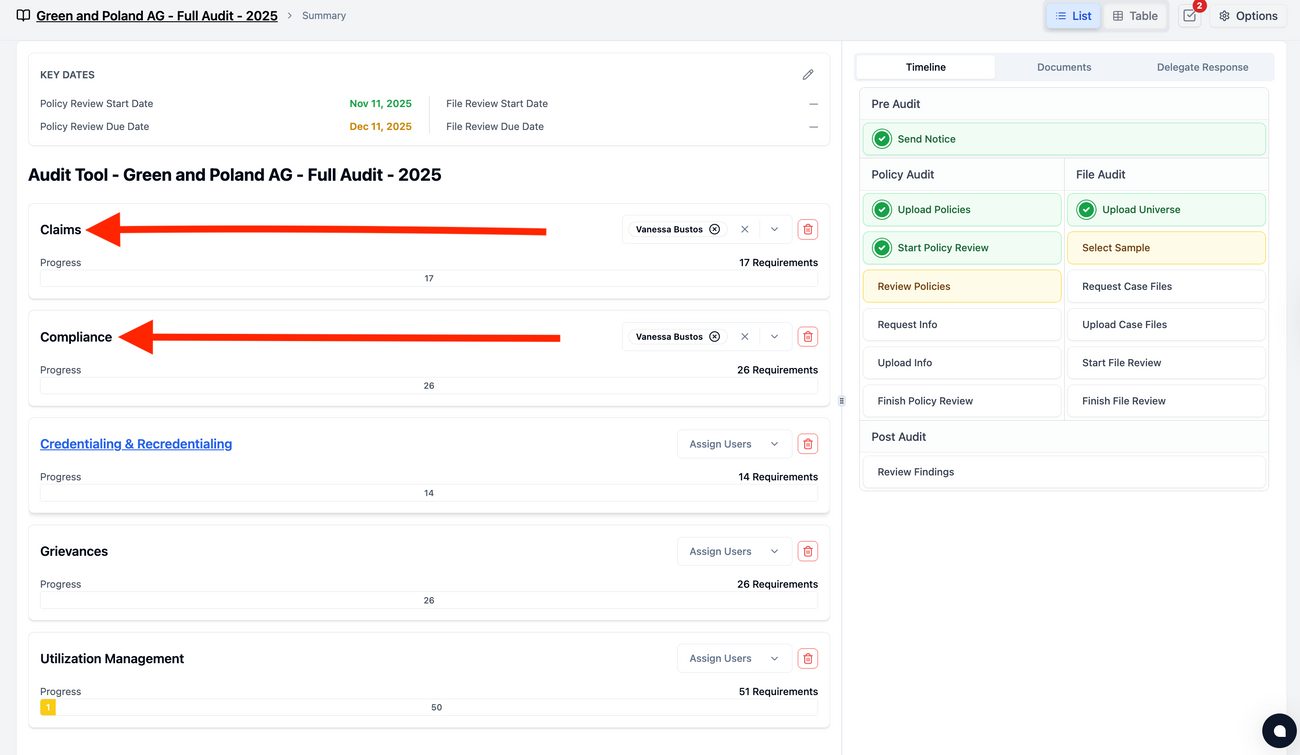
- Select the function that is assigned to your name.
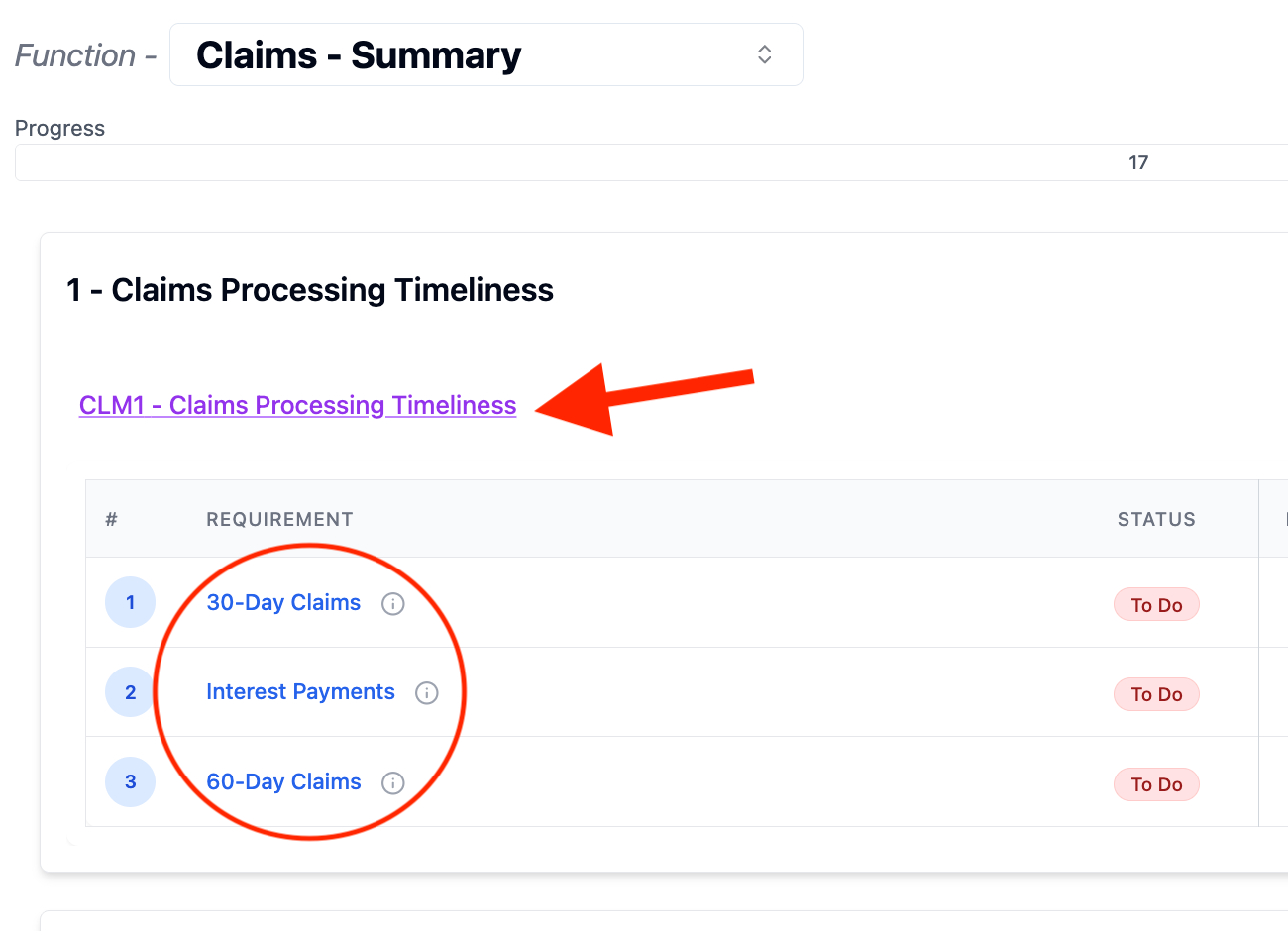
- Click the function summary name and conduct an audit for each requirement on the list.
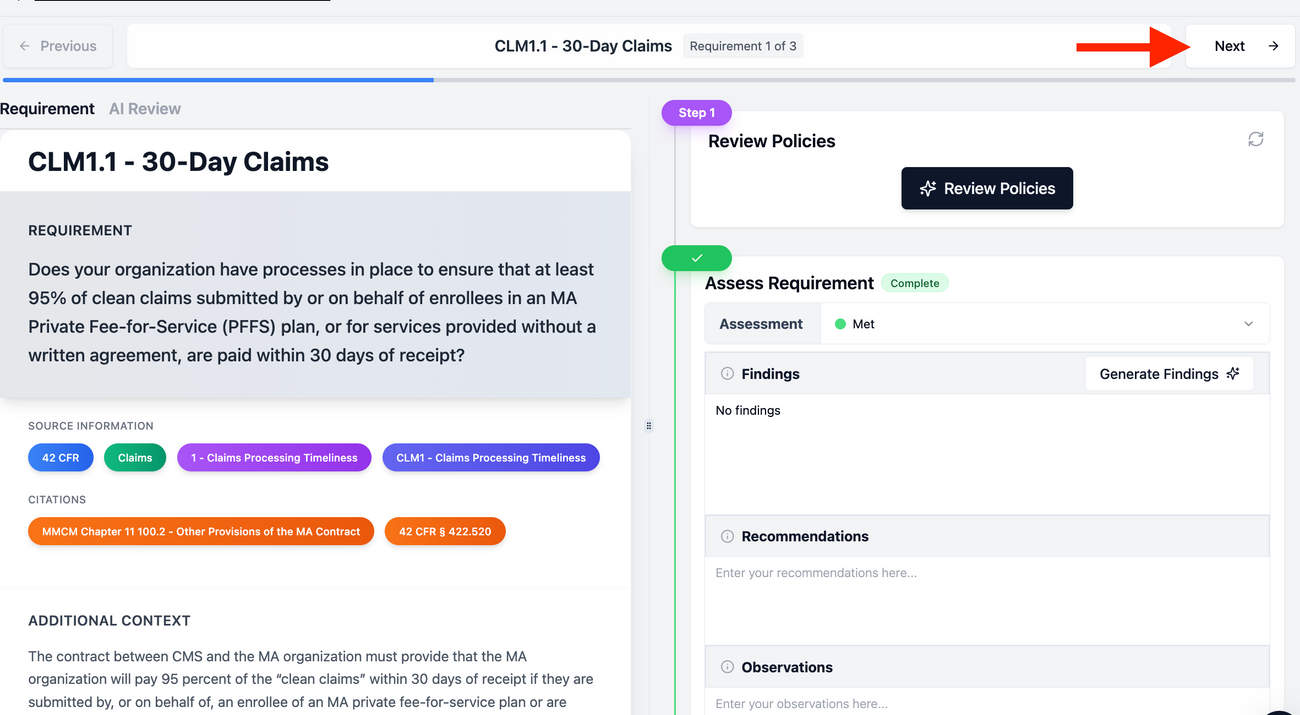
- Review the policies; the left side is generated by AI. Make sure you review each assessment, as you're the expert, and AI can make mistakes.
- Manually assess the requirement as Met, Not Met, Partially Met, More Info Required, or N/A.
- If AI recommends that the policy was met, however, YOU, as the expert, notice it was partially met. Set the assessment to Partially Met. Always use your expertise to set the assessment status.
- Add your findings, recommendations, observations, and internal auditor notes.
- Once you have completed the assessment. Click Next to complete your audit.
Documenting Findings & Notes
Findings
- Trigger Corrective Action Plans (CAPs) if needed
- Must include a recommendation
Recommendations
- Guidance for remediation
- Required when findings exist
Observations
- Informational or minor issues
- Appear in final audit reports
- Do not automatically go to delegates
Internal Notes
- Auditor-only context
- Never shared externally when exported
The Readily Audit Tool enforces a clear separation of responsibilities to ensure audit quality:
- Auditors conduct reviews and document findings.
- Audit Managers review submissions, validate evidence, and issue formal audit results and CAP requests.
This model supports consistency, accountability, and regulatory confidence before any communication is issued to delegates.
Frequently Asked Questions
- Does AI make final audit decisions? No. AI provides supporting analysis only. All audit determinations are made by qualified auditors.
- What triggers a corrective action plan (CAP)? Only confirmed findings result in CAPs. Observations do not require corrective action.
- Who communicates final audit results? Audit managers review and approve findings before issuing formal communications to health plan delegates.
- Will documentation requirements be more explicit in future audits? Yes. Upcoming enhancements will allow clearer specification of required and optional evidence.
- Why is the P&P analysis taking a while? This is normal. You’ll receive an email notification once the analysis is complete, there’s no need to stay on the audit page.