Search Module
Last updated April 2, 2026
Search helps you quickly find answers to regulatory and policy questions. It searches a curated database maintained by Readily, which includes:
- External sources like 42 CFR, DHCS APLs, DMHC TAGs, CMS HPMS Memos
- Internal sources like your Policies & Procedures, State Contract, and Delegate Policies
You’ll get direct references to where your question is answered.
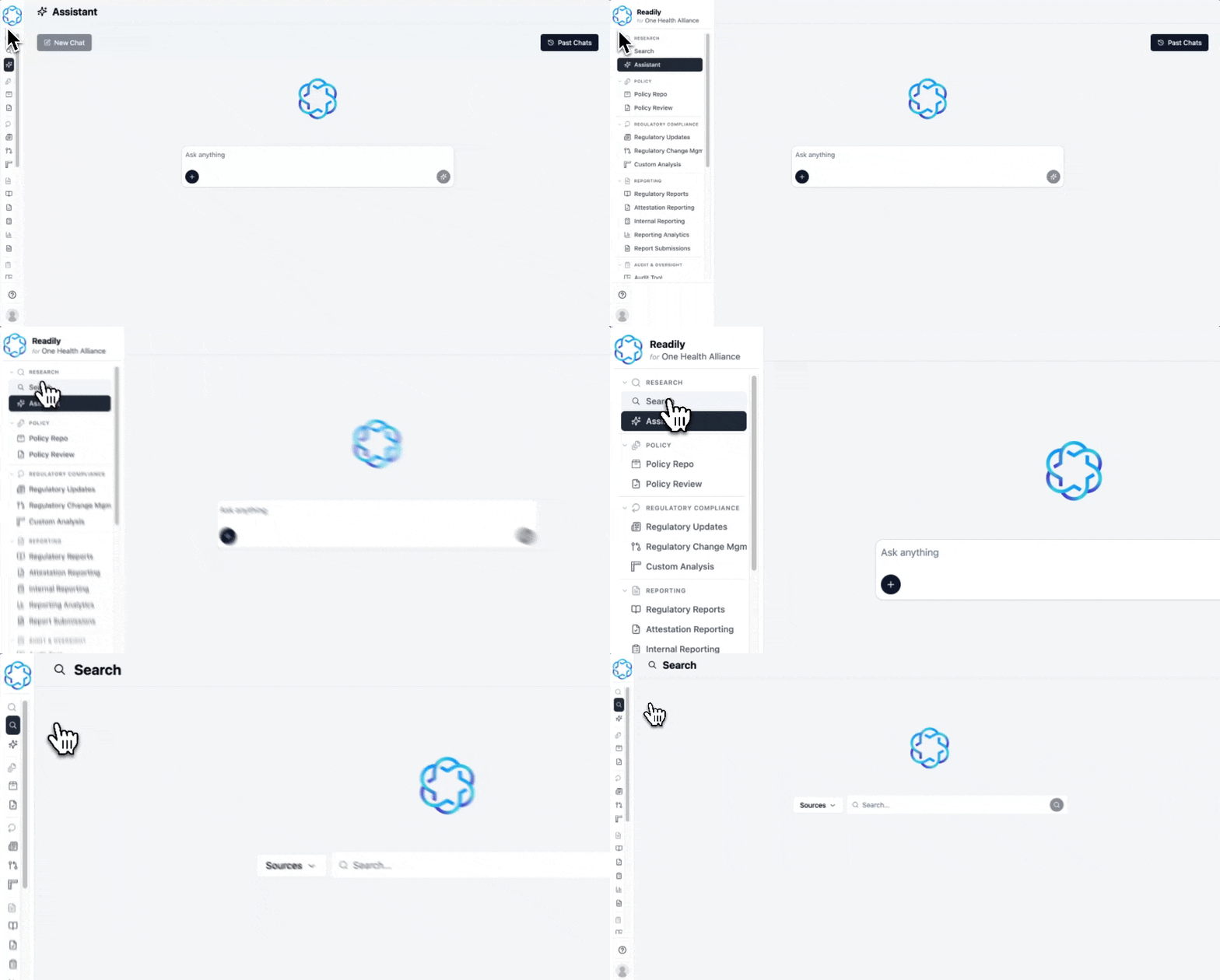
How to access Search
- Log in to Readily
- Click the Search button on the sidebar.
How to use Search
Enter your query into the search box and hit Enter or the search button.
Readily search supports multiple types of queries:
- Topic search: prior auth timelines
- Exact word search (use quotes): “concurrent request”
- Question: how long do I have to respond to an authorization request
- Excerpts: Contractor must ensure a NOA is sent when approving, denying or modifying.
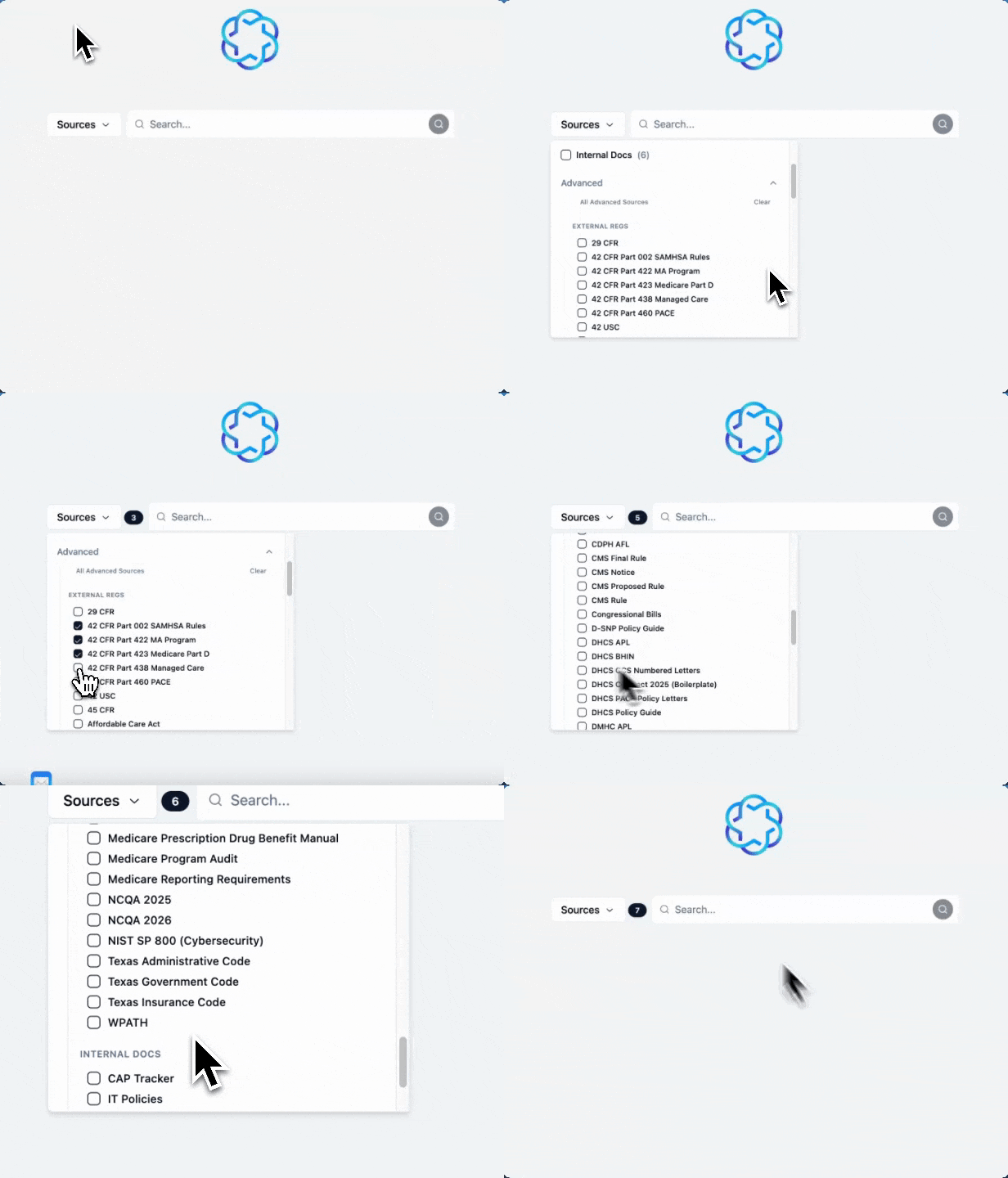
You can narrow your search to specific sources for more targeted results. This is often more effective if you already know which sources are relevant.
The sources are categorized by Medicare Regs and Medi-Cal Regs. You can click Advanced to view the specific sources; it will collapse all the data sources applicable to the selected category.

How to read the Search results
The search results contain 2 main parts:
- List of references (shown on the left-hand side)
- Summary based on the references (shown on the right-hand side)
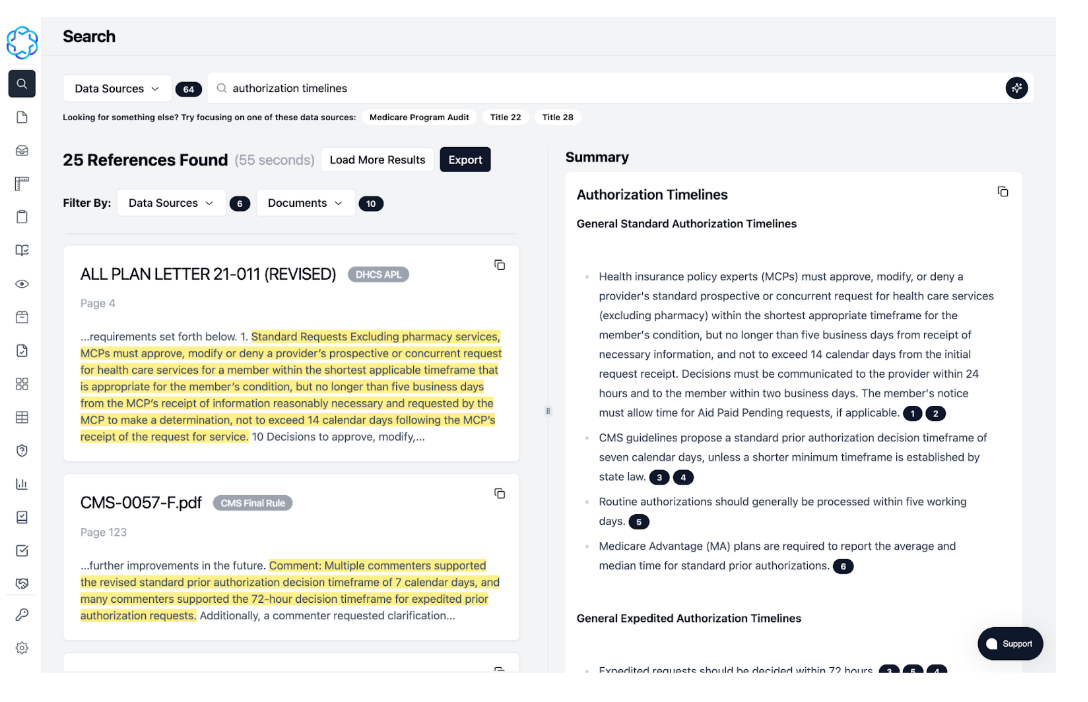
Clicking on a reference card or a black citation badge in the summary will open the original document, with the exact paragraph that answers your question highlighted.
Pro tip: Always double-check the answer in the original document.
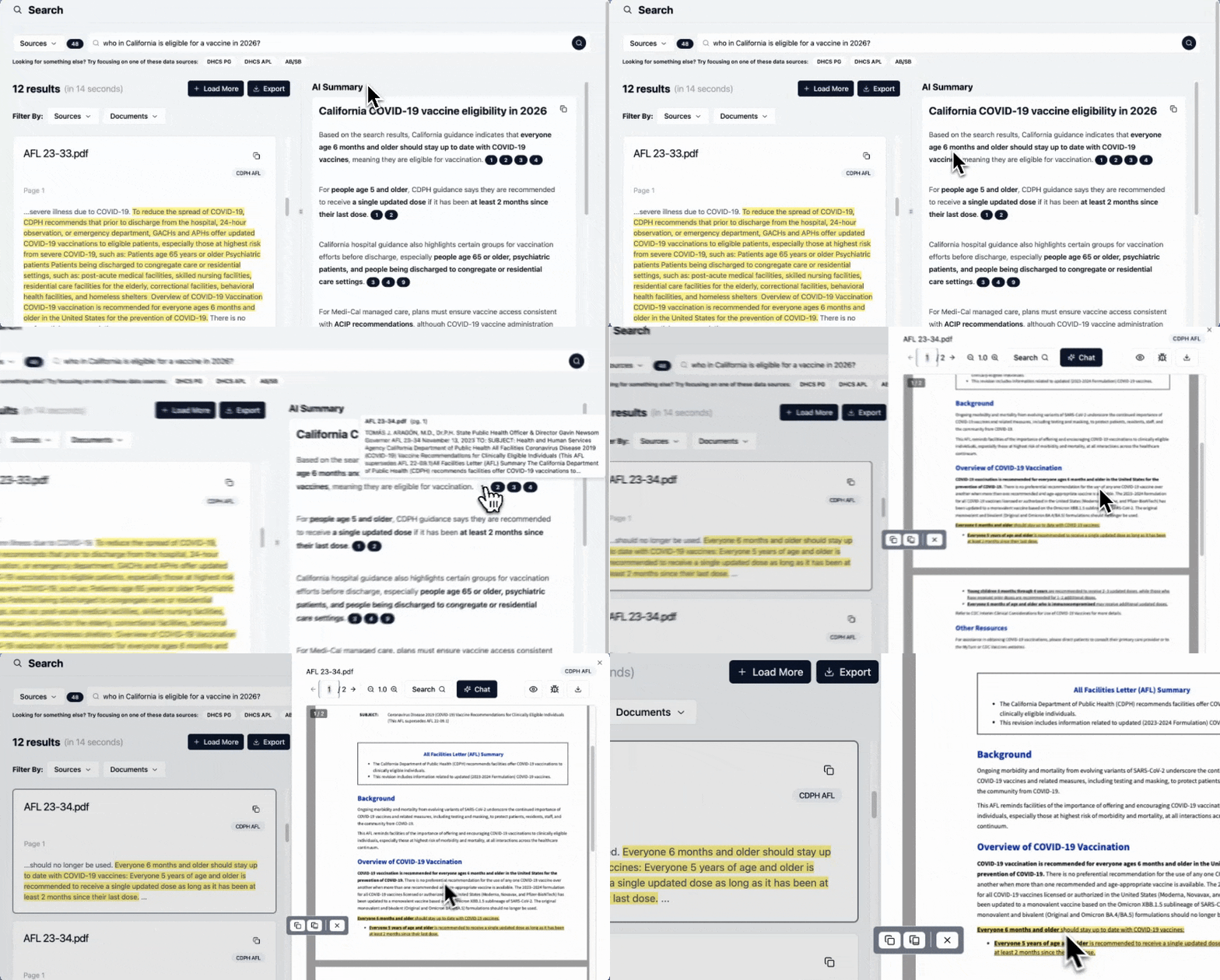
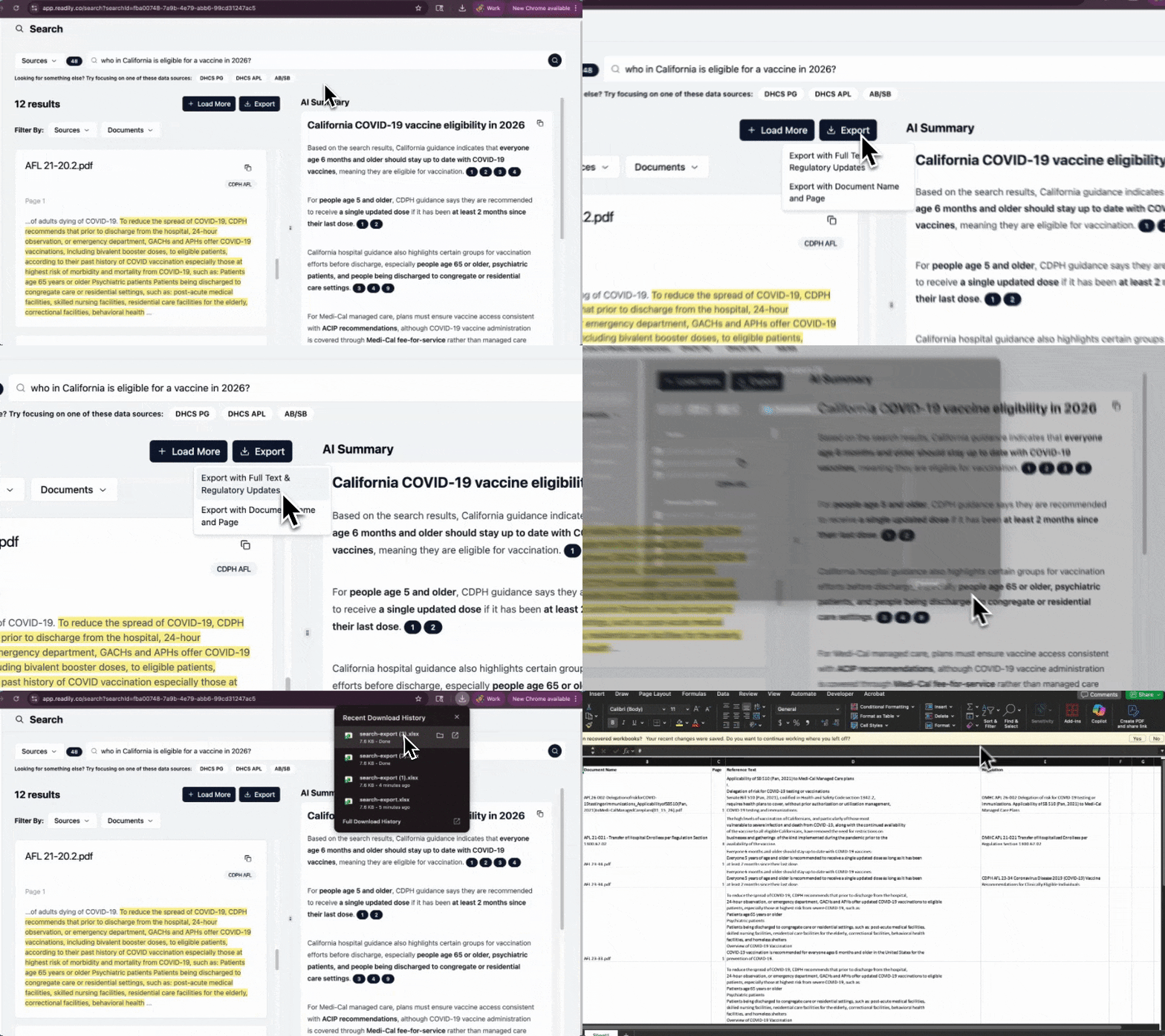
You can easily copy the summary and references (with citations) using the copy button.
To save the results, use the Export button to download them into an Excel sheet.