Assistant Module
Last updated April 9, 2026
Assistant is used to dig deep in on a single or limited set of documents, either by selecting it from a list or uploading it directly. The Assistant feature is designed so you can interact with documents and ask it questions.
How to access Assistant
Click “Assistant” on the left hand bar as shown in this figure to take you to the Assistant portion of Readily.
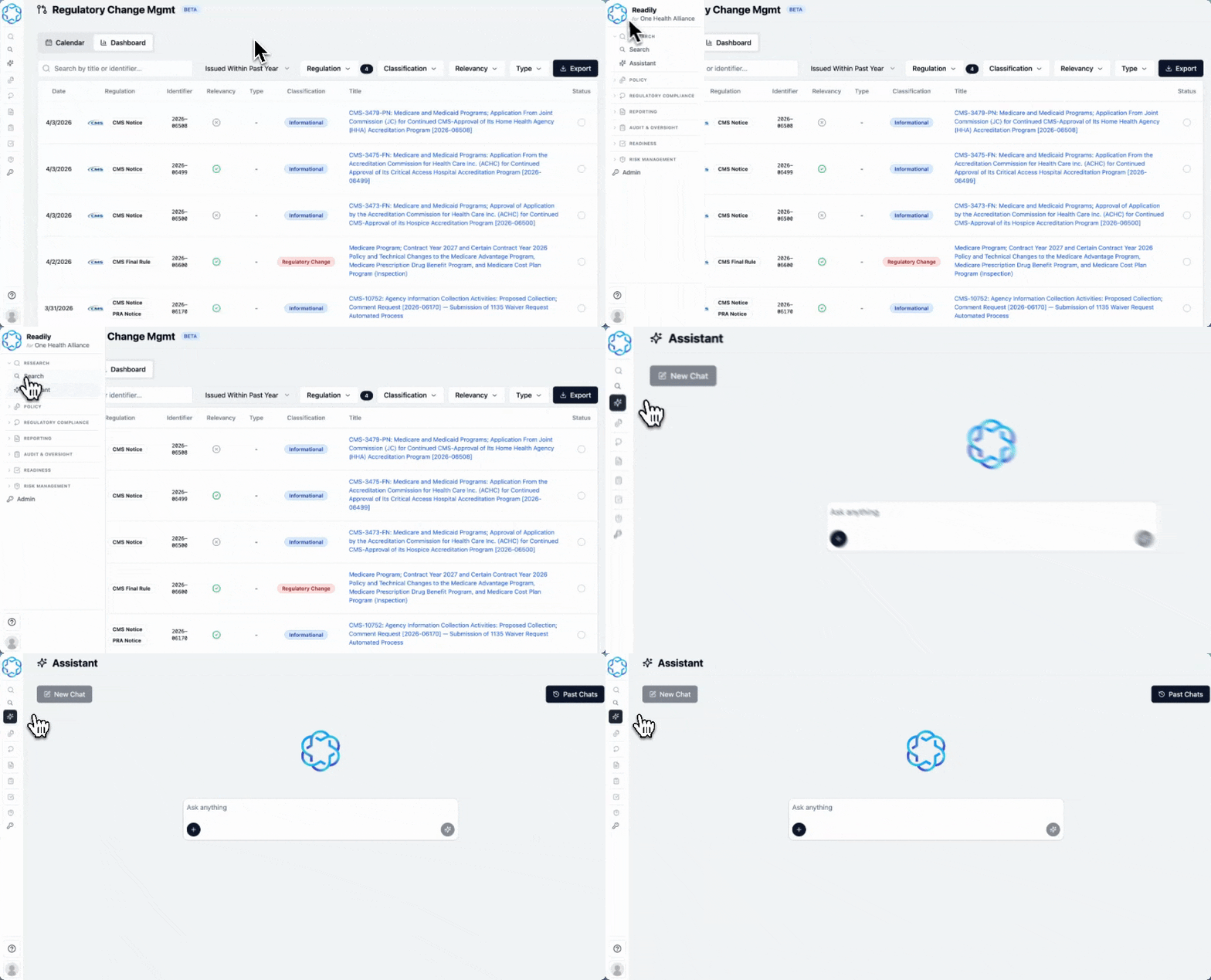
How to Use Assistant
Uploading Documents:
- Using the Folder Icon:
- Click the Plus icon at the bottom left of the Assistant toolbar.
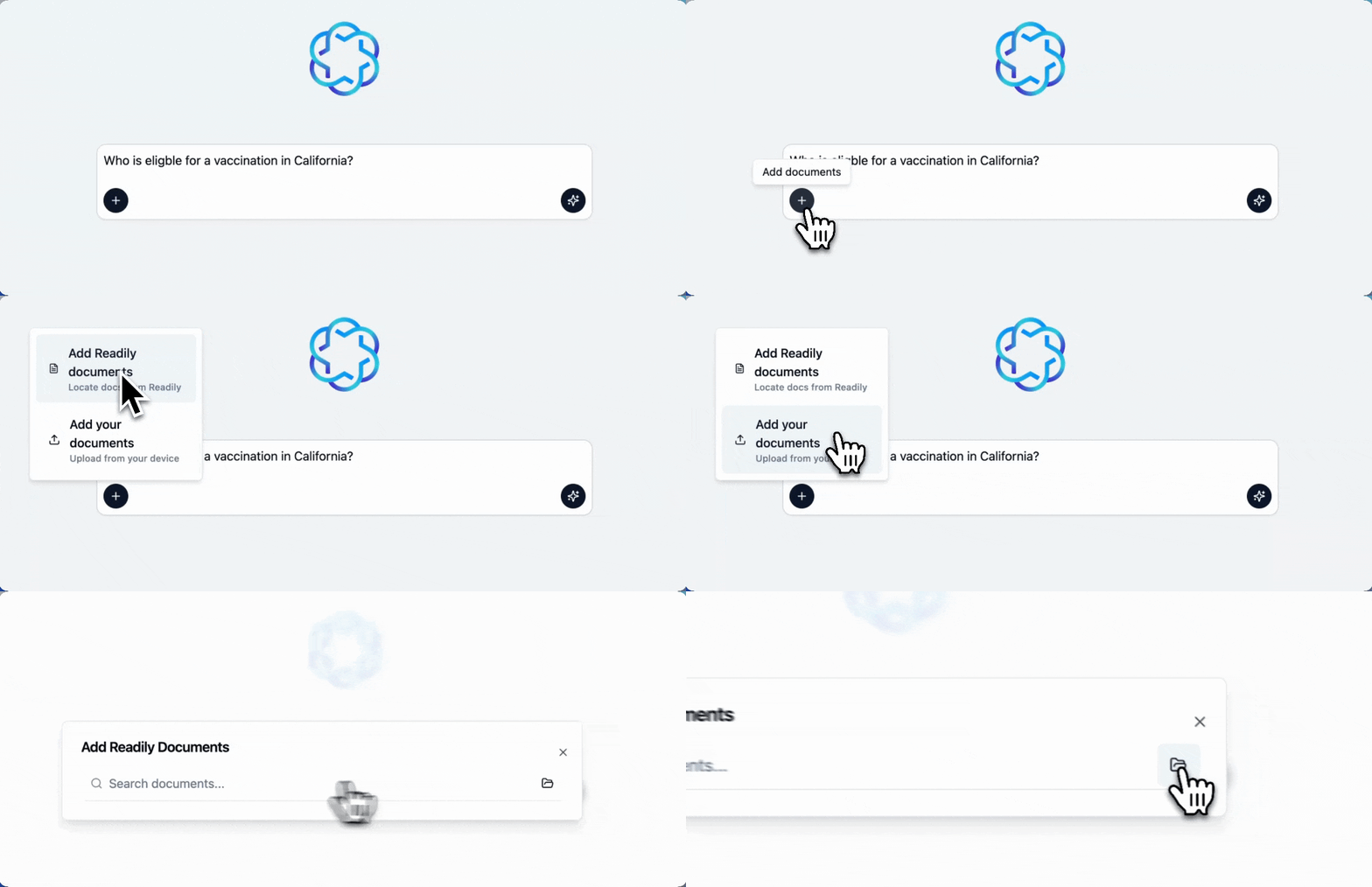
- Select the regulation in the window that will then pop up.
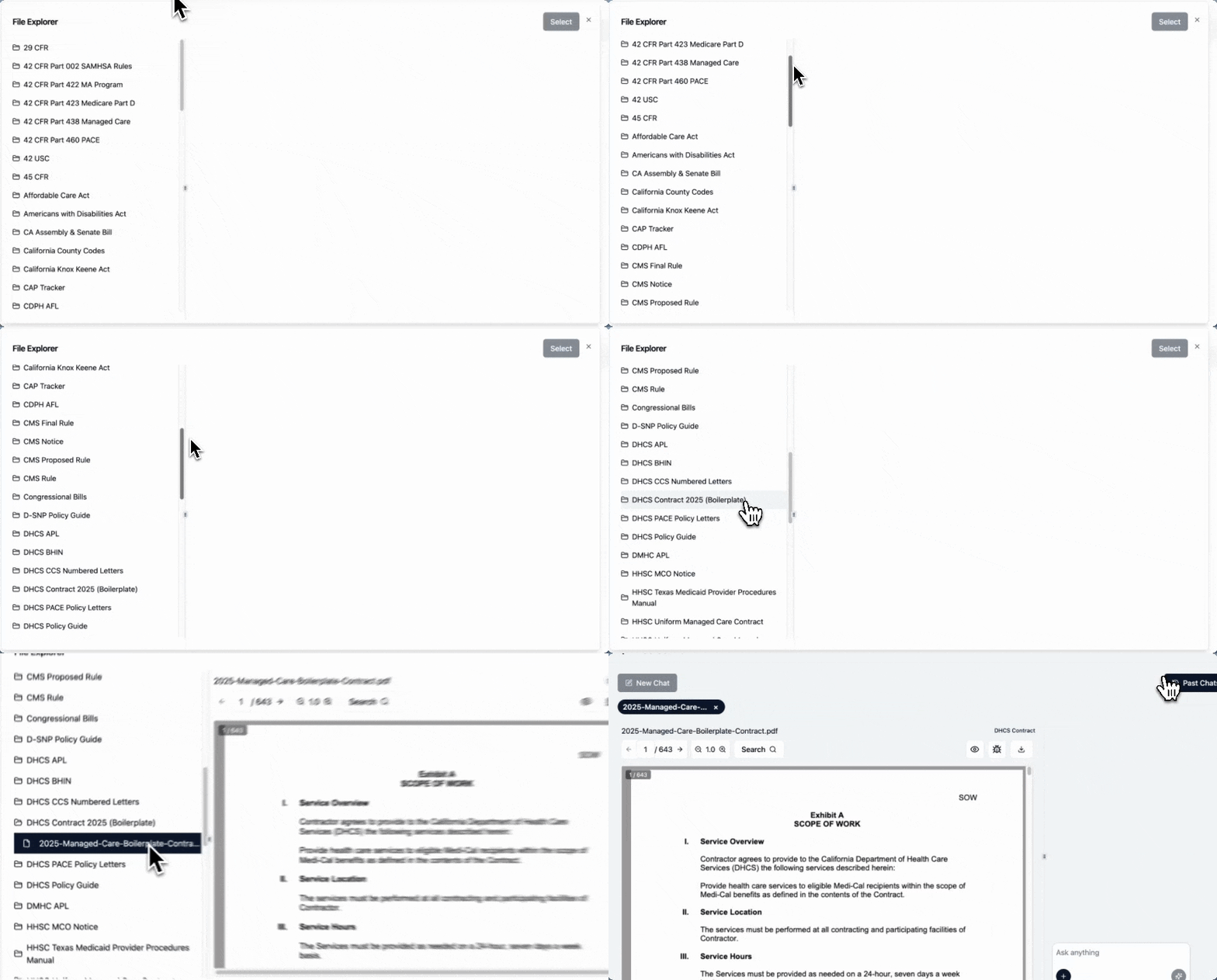
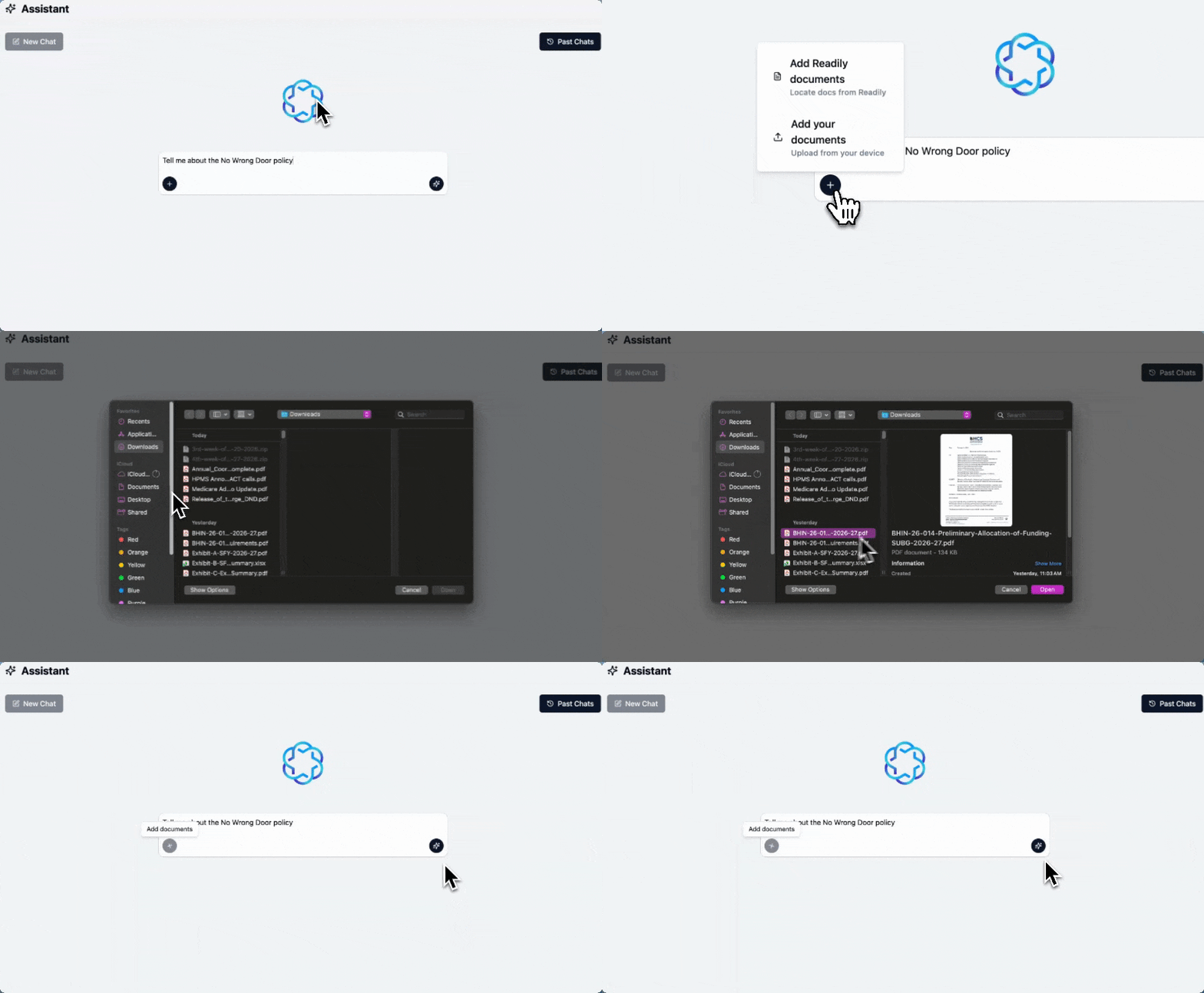
- If you are looking for your own policies and procedures (P&Ps), you will need select "Add your own documents" from the Plus Icon
File Upload
- Click the + button and choose the file you want to upload.
Ask The Assistant Questions
- Enter your questions into the search box.
- The Assistant’s question interface is similar when you use OpenAI’s ChatGPT, Google’s Gemini, and other AI applications. However, the Assistant AI specifically covers data sources, policies, and regulations.
Note: For best results, be detailed when you're adding your prompt.
How to Use Assistant Chat Feature from Search
- While using the Search Module click on the citation you want to work with.
- Once the document is open, locate and click the Chat
- Ask questions about the document:
- Type your question directly into the chat. The Assistant will focus specifically on the content of that document.
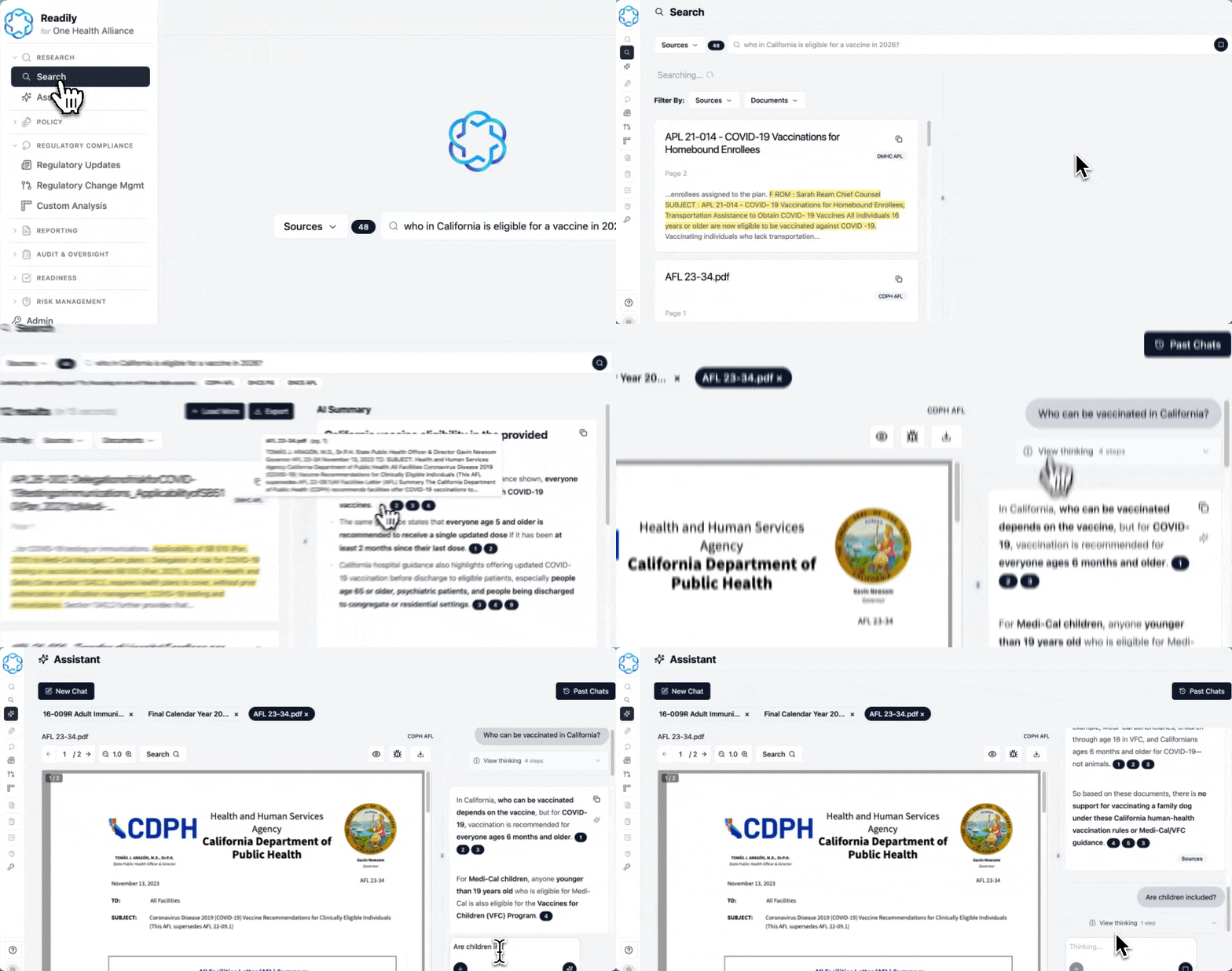
- Get targeted answers: The Assistant uses the document as its source, so responses are tailored to that file, helping you summarize, clarify, or find specific details quickly.
- Refine your queries: Ask follow-up questions to dig deeper or get more precise information.
Tip: Be specific in your questions (e.g., “Summarize section 2” or “What are the key requirements?”) to get the most accurate results.
Was this article helpful?