Integrating Your CRM with Ciro
Last updated September 5, 2025
Ciro’s CRM integrations, available on our paid plans, allow your team push leads directly into Salesforce or Hubspot — accounts, contacts, emails, and phone numbers. This is a premium feature and requires a Ciro subscription to use.
Setting up your CRM integration
- Log into Ciro
- Navigate to Profile → Connect CRM
- A wizard will appear — select either Salesforce or Hubspot and click Connect
- You’ll be prompted to authenticate your account
- Once connected, Ciro will display your CRM status as "Synced"
How to Push to Your CRM
Ciro offers 2 ways to push leads into your CRM:
1. Push from a Ciro Autopilot list
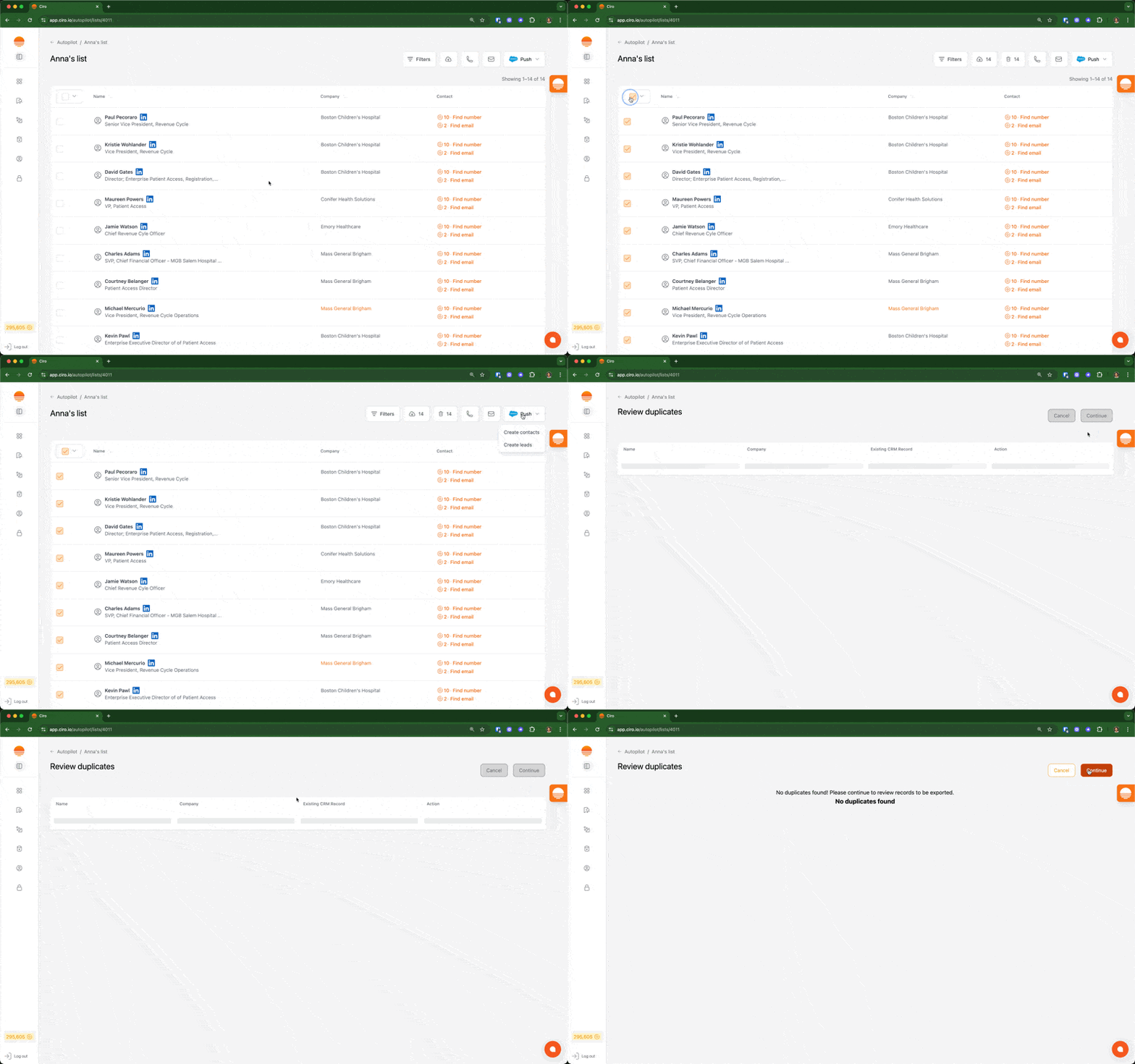
- From your Autopilot lists, select the contacts you want to push to your CRM
- In the toolbar, click the “Push” button
- Ciro will direct you to a new page that checks for duplicate contacts
- Duplicate contacts may be skipped or used to update existing contacts
- Click continue to have Ciro push the contacts directly
2. Push from our Chrome Extension
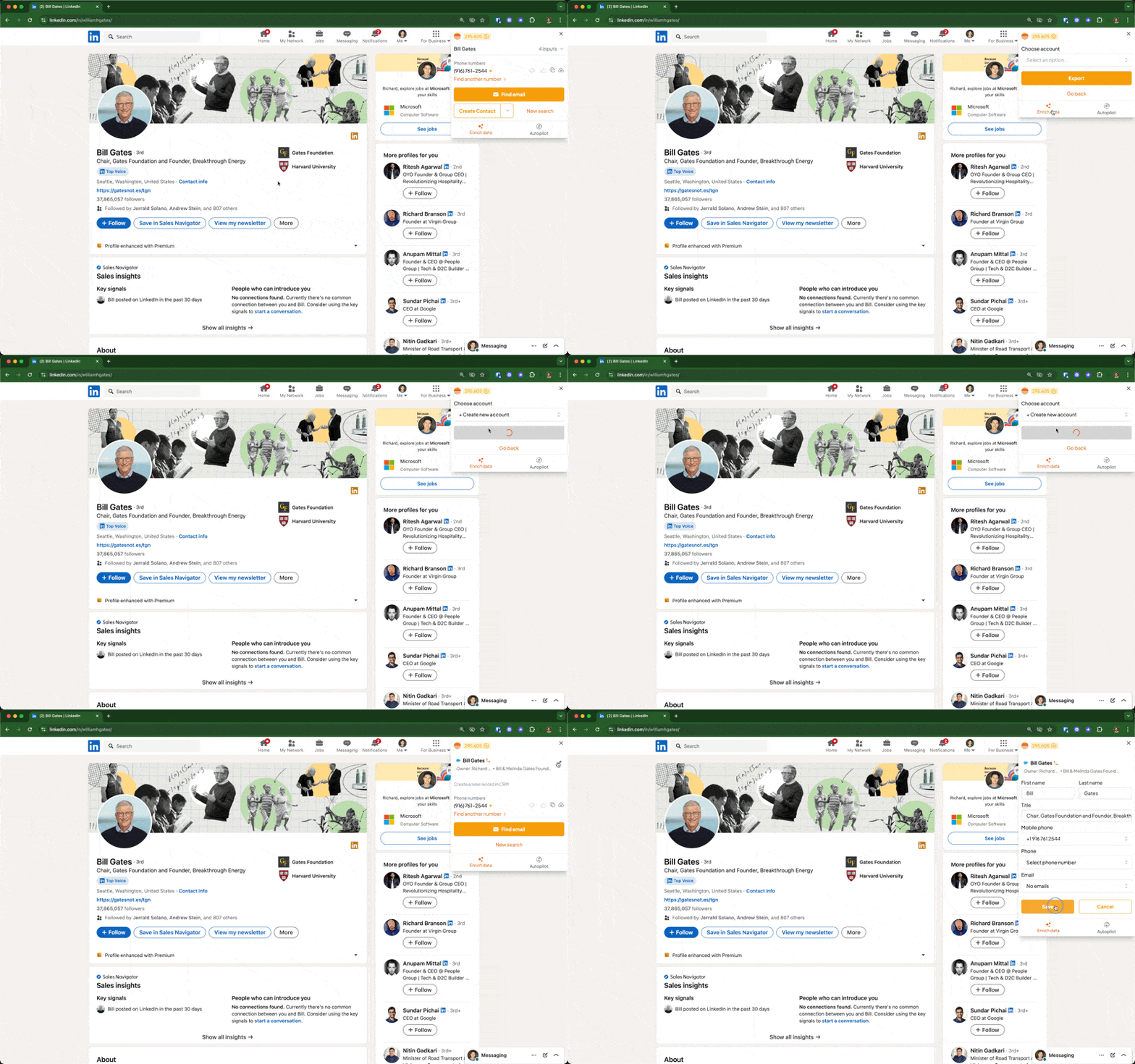
- This requires Ciro’s Chrome Extension (also compatible with Microsoft Edge)
- While on a LinkedIn profile, open the extension
- Once the data loads, click “Push to CRM”
- For Salesforce connections, you may select pushing as lead or contact
- Ciro will create or update the contact in your Salesforce/Hubspot
- You may also edit and update existing contacts from the extension, using the pencil icon
FAQs
What CRMs does Ciro support? Ciro currently integrates with Salesforce and Hubspot
Can I use this on a free plan? CRM integrations are only available on paid plans
What data gets pushed to my CRM? We push accounts, contacts, emails, and phone numbers
Does Ciro create duplicate records? No, we check for existing matches before creating contacts or accounts (and let you choose)
How do I check for duplicate records? To check for duplicates, add your Autopilot-generated contacts to a list. Then, open the list and select those contacts to push to your CRM. The next screen you see will check duplicates for you (and ask you how you'd like Ciro to handle them)