How to Start a Search in Ciro
Last updated September 5, 2025
Ciro makes prospecting 10x faster by combining AI with a massive proprietary contact database. Here's a simple guide to get you started searching inside the app.
💡 Choose how you want to search
After logging in to Ciro , there are 2 ways for you to start a search, using Ciro Autopilot:

1) Search using Ciro Database 👨🏻💻
Autopilot over Ciro's Database offers a faster path to high-volume, qualified lists using our proprietary database of 500M+ global contacts

Learn more about how to search using Ciro Database [link when live]
2) Search using LinkedIn Sales Navigator 👨🏻💻
Autopilot over LinkedIn Sales Navigator automates list building in Sales Navigator itself (requires a Sales Navigator subscription)
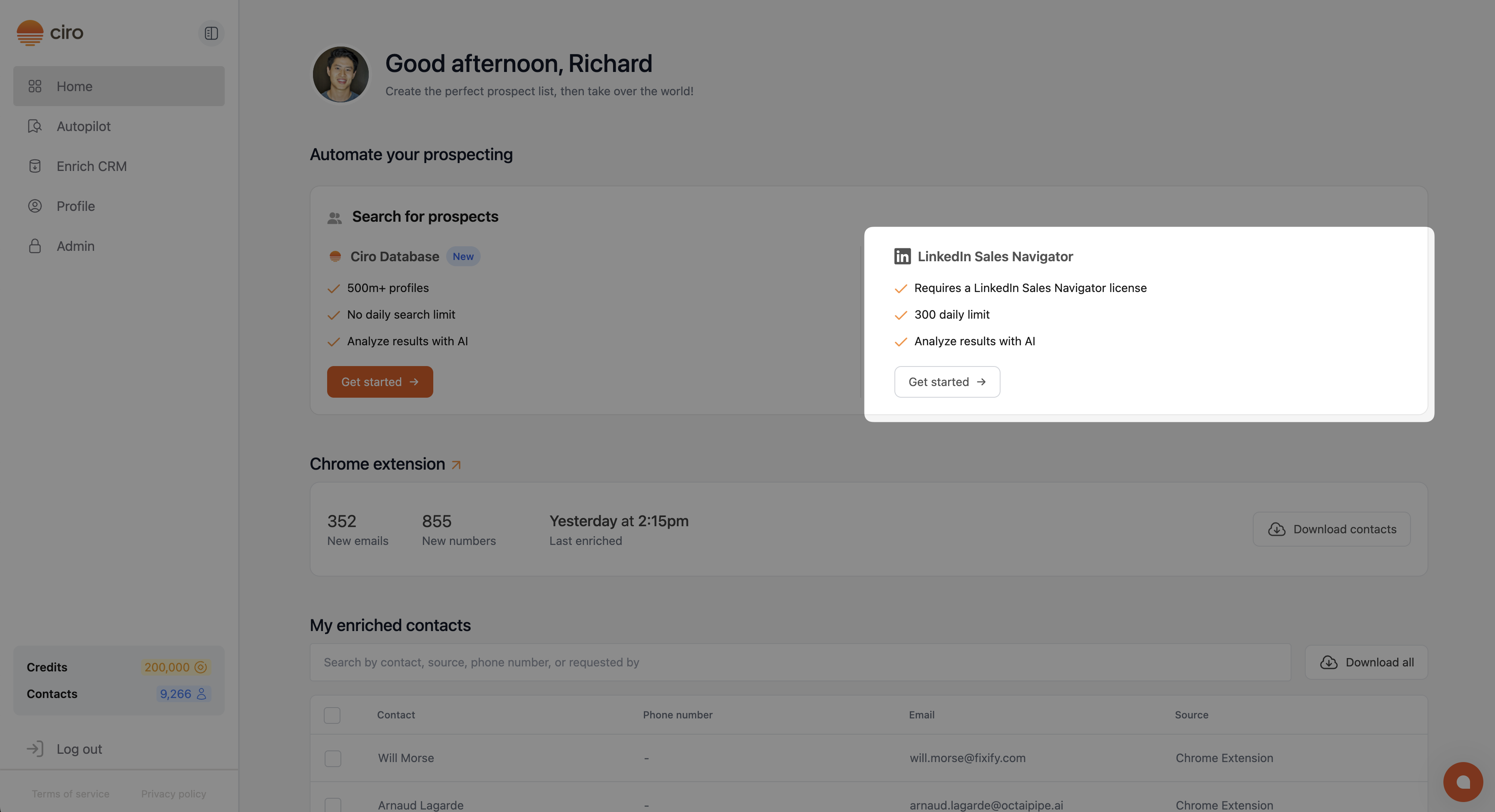
Learn more about searching using Sales Navigator [link when live]
👉🏼 Start with a description of your ideal customer
- All searches in Ciro start with a prompt, describing who you're looking for — we call this your Ideal Customer Profile (ICP)
- Ciro generates sample prompts for you, based on its understanding of your business (and looking at your website):

For more prompt tips, follow our ICP guide [link once live], or try one of these: - “Directors of employee training at all HVAC companies” - “Marketing leaders at mid-sized B2B SaaS companies in North America” - “IT managers at healthcare organizations with over 200 employees"
🧑🎓 Follow our guides on how to get the most out of your search
- Search using Ciro's Database [link when live]
- Search using LinkedIn Sales Navigator [link when live]
Log in to Ciro and run your first search
Need more help? Browse all guides in the Ciro Help Center [link when live]