Understanding Ciro Scoring Criteria and the Scorecard
Last updated September 5, 2025
Ciro Autopilot doesn’t just find leads — it ranks them. It looks at each lead and checks how well they match the traits you care about. Instead of a single score, you get a Scorecard that shows exactly why someone is a good (or bad) fit
💡 What are “Scoring Criteria”?
Scoring criteria are specific traits you want your ideal lead to have. These are different from filters:
| Filters | Scoring Criteria |
| Used to narrow search results | Used to rank and evaluate leads |
| Binary (includes or excludes) | Flexible (can be partially or fully matched) |
| Examples: company size, title | Examples: “manages 10+ reps”, “not a student” |
You can think of scoring criteria as the extra layer of precision — things you want, but can't always filter for directly
🔍 Where do scoring criteria come from?
When you generate filters for a persona or search:
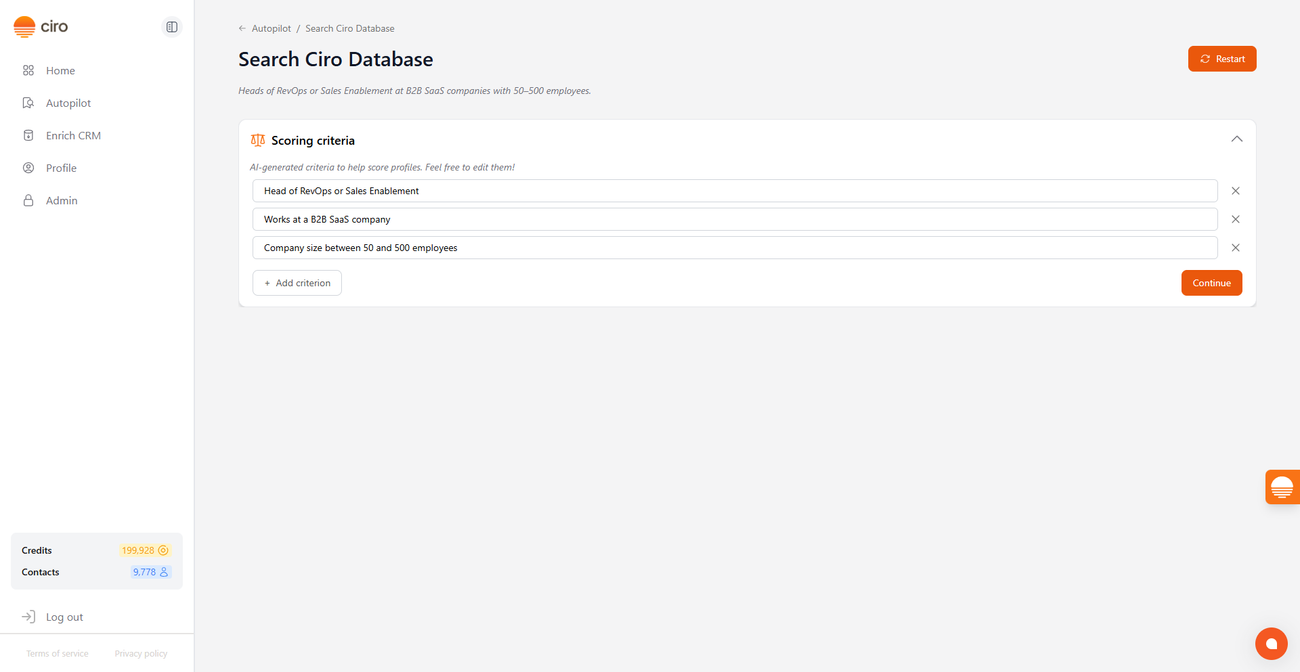
- Ciro will break up your search into individual scoring criteria, based on your query
- To see if each contact fits, Ciro will check dozens of sources — LinkedIn profiles, the company's website, news sources — to help you score and rank each prospect
📝 How to view and edit your criteria
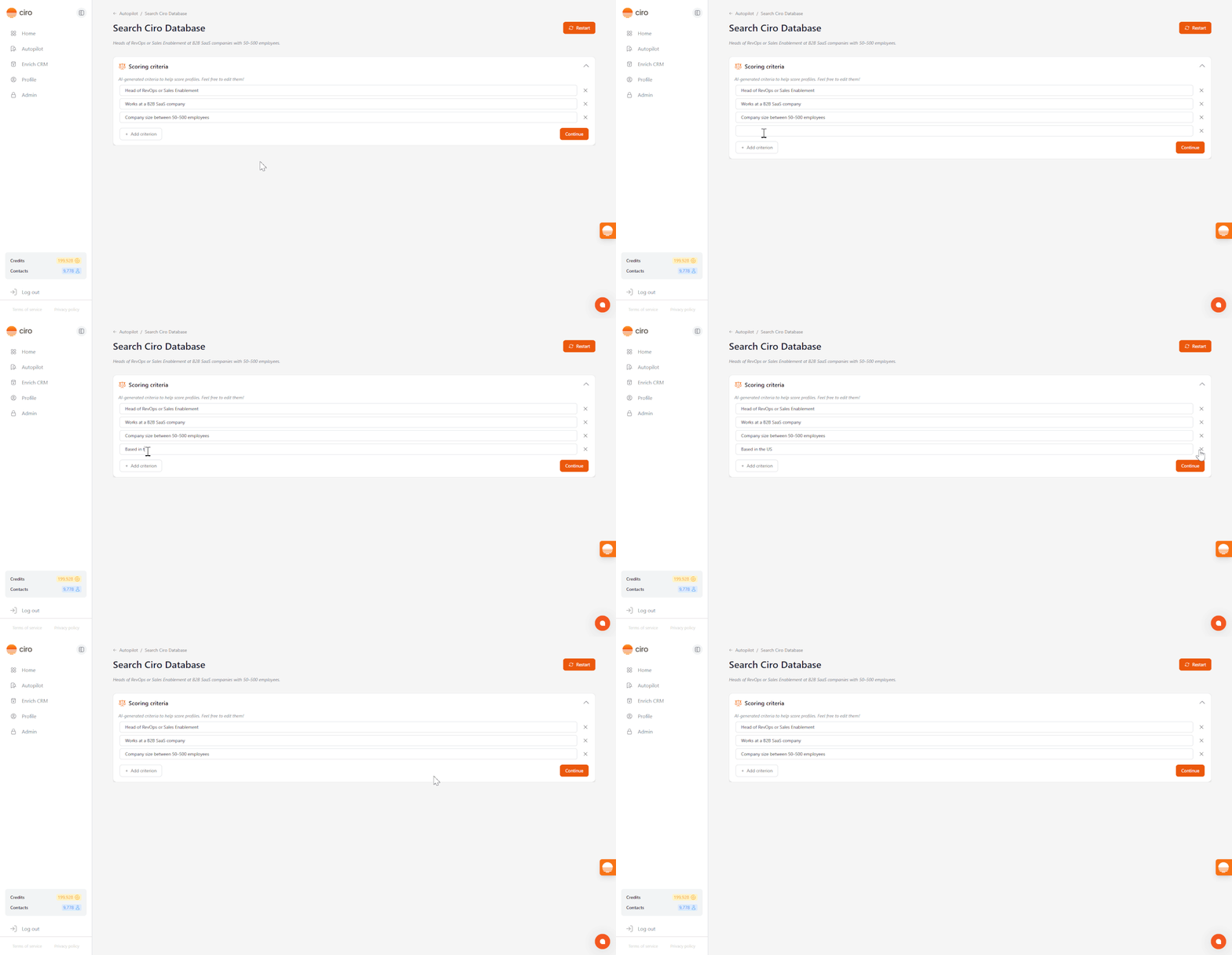
- Once you click “Let’s go”, Ciro will present you with the Scoring Criteria it plans to use:
- These are Ciro-generated rules used to score and prioritize leads based on your ICP
- Feel free to review and adjust them before continuing
- Make changes directly by editing, deleting, or adding new bullets to customize what “good” looks like for your leads
- Click “Continue” to confirm these are the key criteria in your search
📈 How the Scorecard works
Once criteria are set, Ciro evaluates each lead based on the criteria you provided.
Leads are sorted automatically based on the number of matches (marked with a ✅): ✅ True – the Contact meets this criterion ❓ Unclear – Ciro couldn’t confidently determine the Contact's fit ❌ False – the Contact does not meet this criterion
🛠️ Can I update criteria later?
Yes, you can update criteria at any time during the preview stage. Here’s what happens:
- If you change filters, Ciro shows a new batch of leads and re-runs scoring
- If you change criteria only, the same leads are re-scored instantly
- You’ll be notified if scoring needs to re-run before credits are spent
We're still working on making editing available once you reach the full results page — stay tuned!
FAQs
What happens when I download or save leads? Downloaded leads include all scoring data, so you can sort or filter in your CRM or spreadsheet. You can also save leads to lists directly in Ciro and continue your outreach from there
What if I want to score based on more than 5 criteria? We recommend keeping criteria focused to avoid noise — but you can always add more if your search requires it!
Will I be charged again if I update my criteria? If you're re-evaluating the same leads, we'll charge your credits. If your filters change and new leads are pulled, additional credits may apply.
Need more help? Browse all guides in the Ciro Help Center [link when live]