How to print your packing tickets or labels
Last updated March 9, 2025
A great way to keep orders organized and ready for customer pickup is to print out packing tickets directly from Hotplate and attach them to order bags or boxes.
Here’s how:
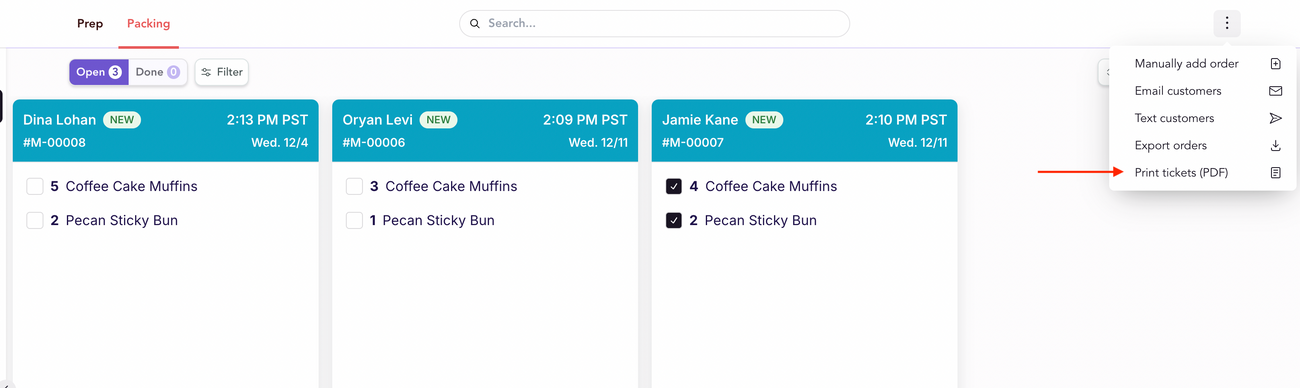
- Go to Orders and switch to the Packing tab
- Click the three dots on the top right corner
- Click Print tickets
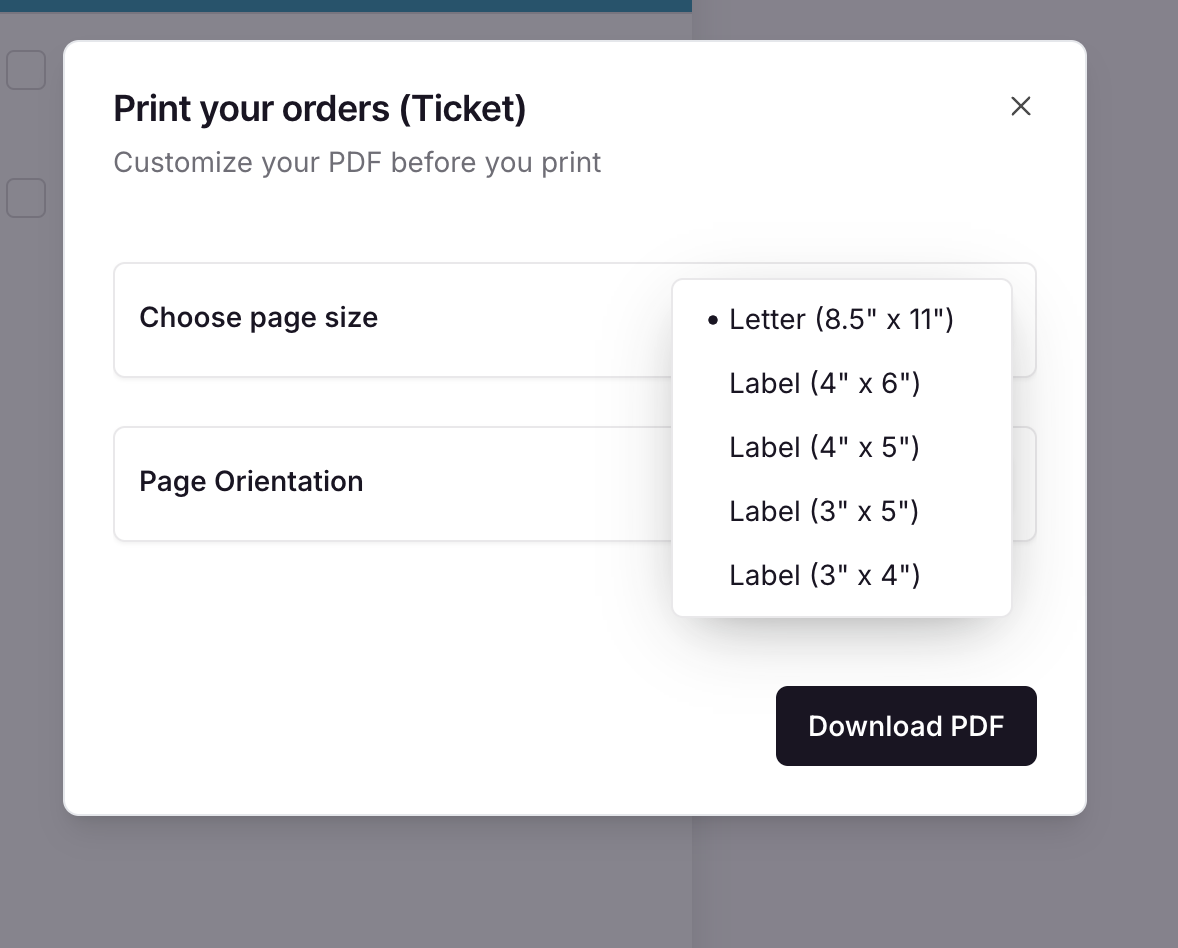
The default way to print tickets arranges them on a standard 8.5” x 11” piece of printer paper. If you use a label maker, you can also export the tickets to print in one of these sizes:
Was this article helpful?