How to edit customer pickup instructions
Last updated March 9, 2025
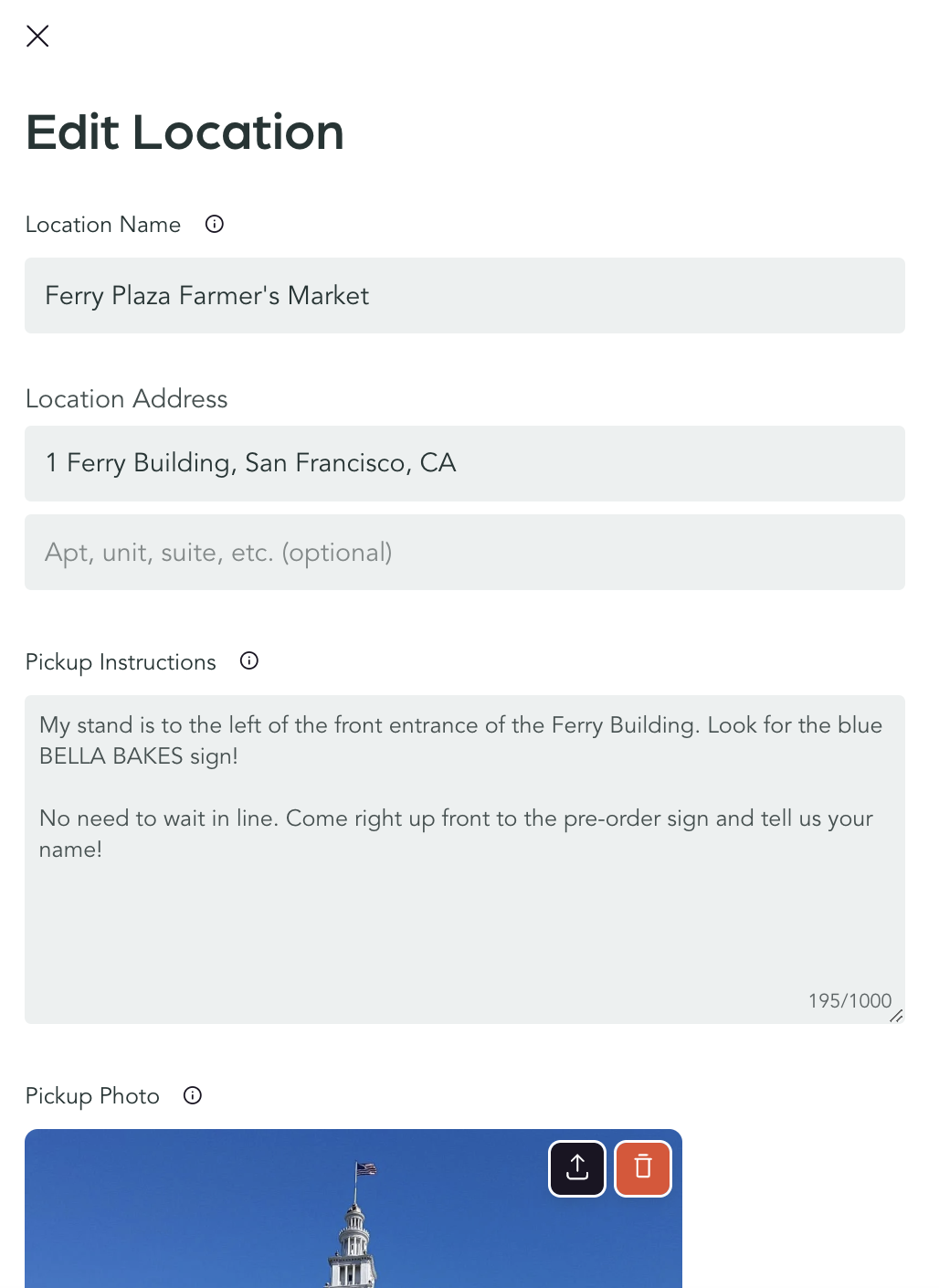
To ensure pickups go smoothly, you may want to include extra details so your customers know exactly where to go and what to look for when they show up. Do they need to wait in line, or can they jump up to the front? Is there a sign they should look for? Should they give their name when they arrive?
To edit the pickup instructions tied to a location:
- Create your event
- Go to the Pickup Windows tab of an event
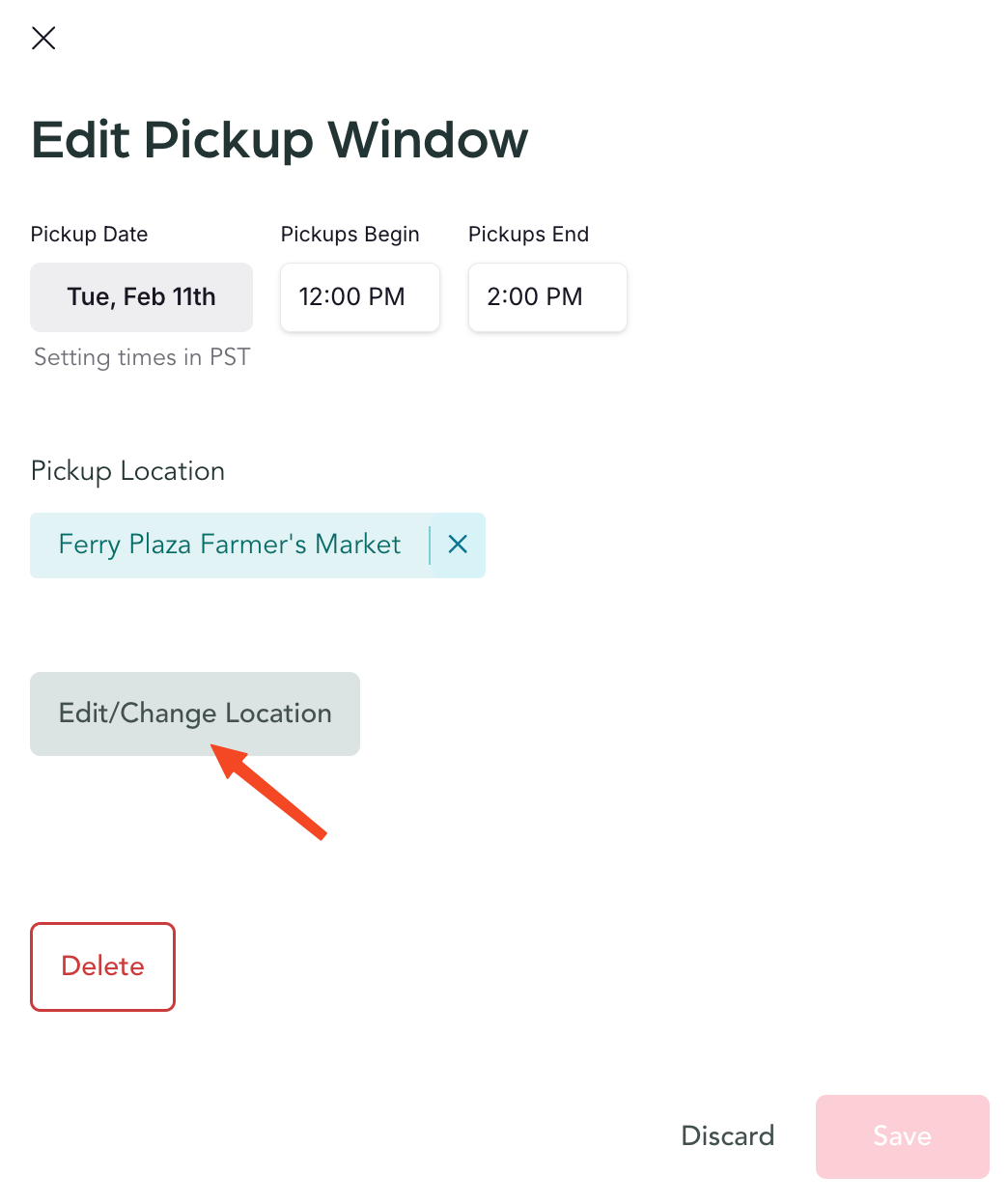
- Click on a Pickup Window
- Click Edit/change location
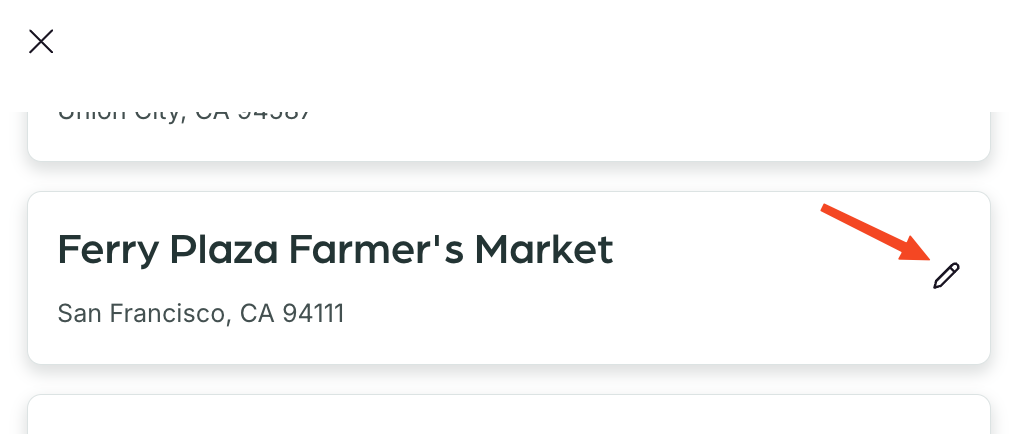
- Click the pencil icon next to the location
- Edit the pickup instructions
How to customize pickup reminder texts
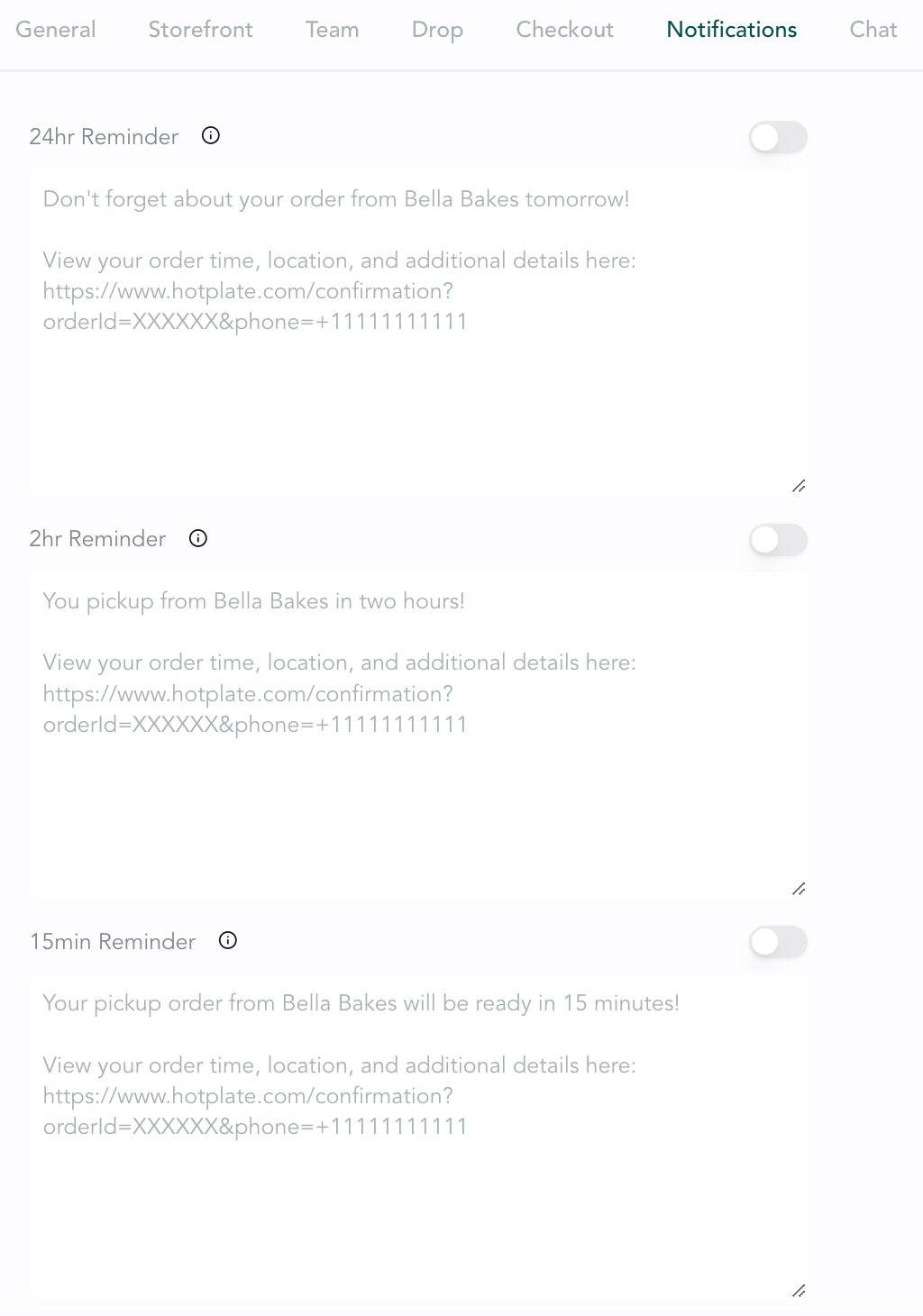
You may also want to customize the automated pickup reminder texts to include specific instructions. Keep in mind, though, these texts aren’t customizable per location, they go out to all customers, so you should keep them generic if you have multiple pickup locations.
To edit reminder texts, go to Settings → Notifications.
Was this article helpful?