How to recommend other Hotplate businesses on your storefront
Last updated March 9, 2025
Got a fellow baker friend? Or know a chef that makes the BEST BBQ? You can now help boost their biz by recommending them right on your Hotplate storefront! Other chefs can recommend your page too so we’re all spreading the love!
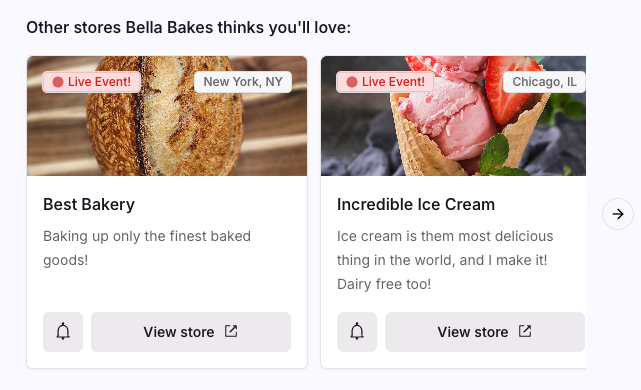
Recommendations will show up at the bottom of your storefront like this:
Making Recommendations
To add a new recommendation:
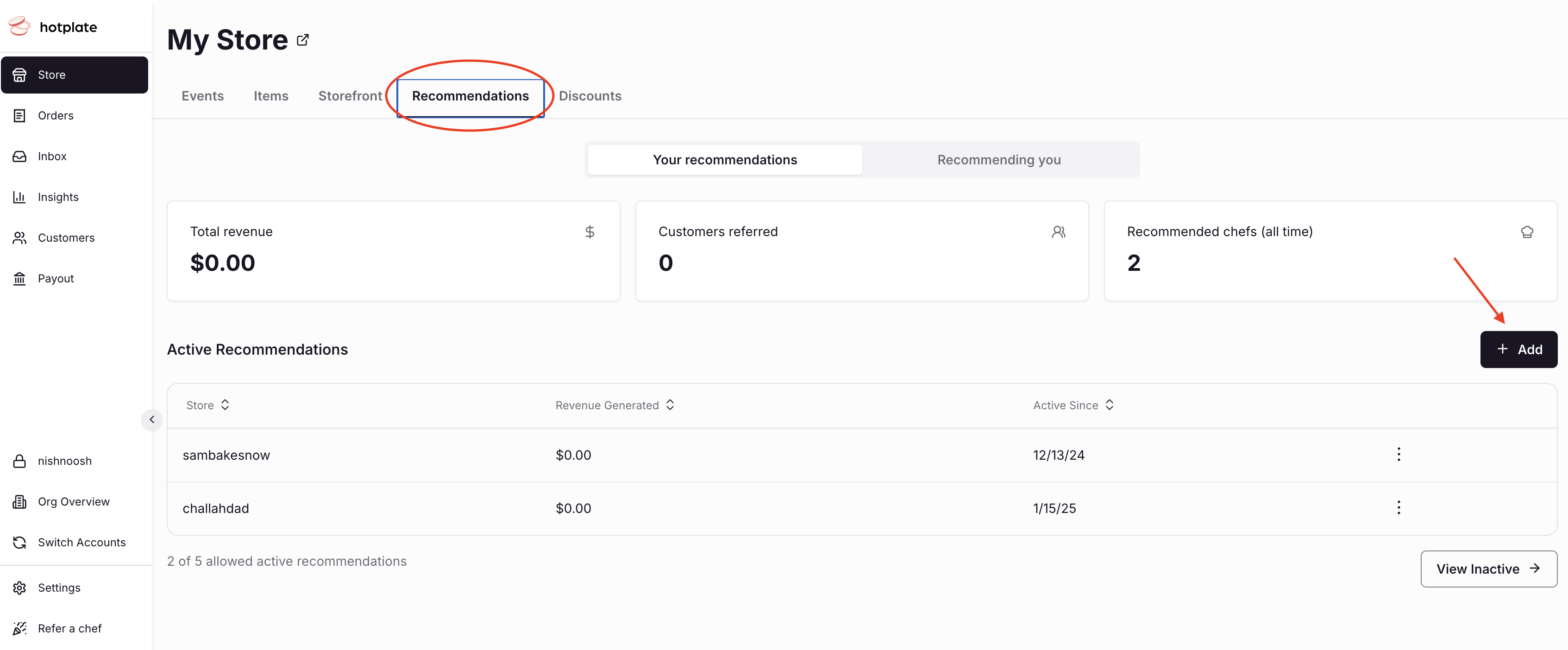
- Go to Store
- Click the Recommendations tab
- Click Add
- Enter the storefront address of the chef you want to recommend
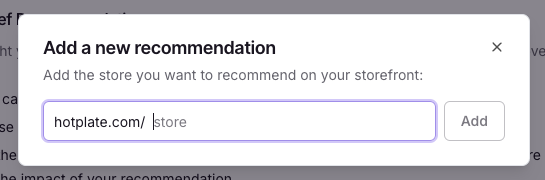
You can have up to 5 recommendations on your storefront at a time!
Managing Recommendations
You can come back to edit or remove a recommended storefront anytime on your Recommendations page. Here you can also see the chefs that have recommended your storefront as well as how much revenue those recommendations brought in!
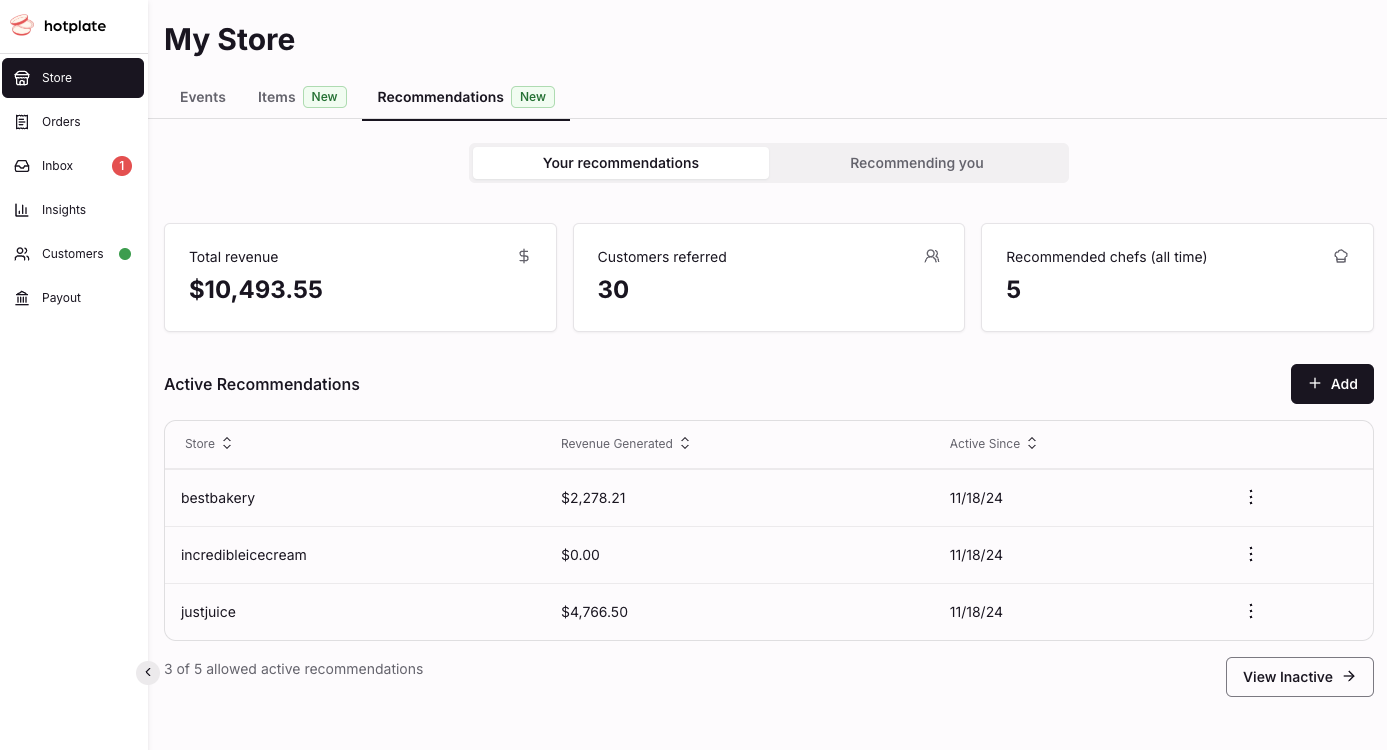
Recommendations Insights
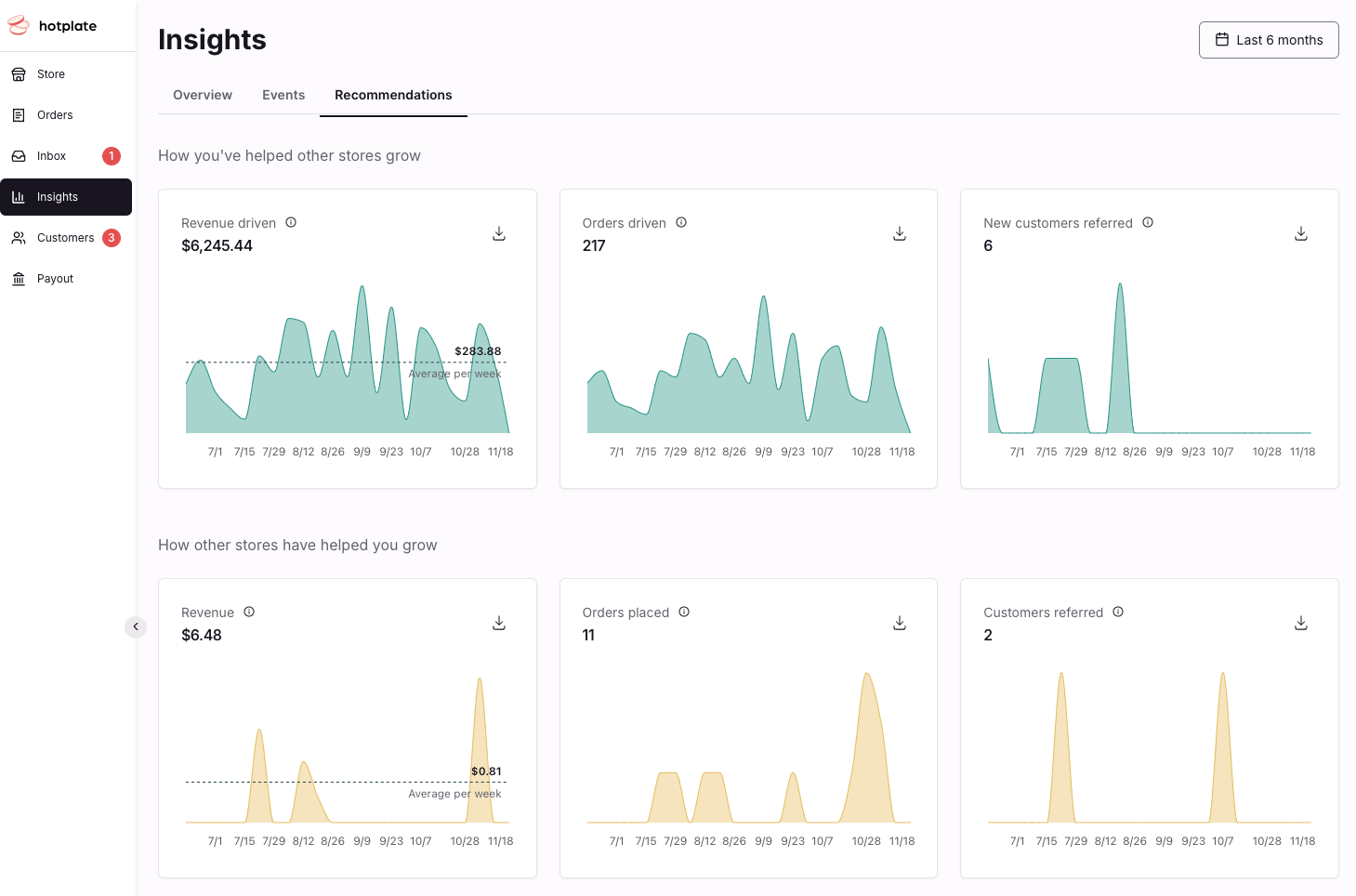
The Recommendations tab of your Insights will show you how your recommendations have helped drive sales and find new customers.